








 Blog
Blog Free tools
 Help center



Most "proven BFCM strategies" lists, Yotpo, Shopify, Klaviyo, Omnisend, share the same blind spot: none covers what happens on the support channel once BFCM traffic actually lands, only email, SMS, ads, and pricing, the same old checklist.
This list closes that gap. Every one of the 11 strategies below carries a 2 to 3 step action for this week, and nine of them carry a named evidence source. The other two, setting a backup threshold and switching the metric you report, are synthesis: they follow from the nine above rather than from a study of their own, and they are labelled as such where they appear. The order is impact weighed against effort, not sale-timeline stage. If you run support with one to three people, work from the top down.
- This list is ranked by impact and ease of action, not by calendar stage
Do the top few first if you're short on time, work down the list only as time allows.
- More than half of BFCM conversations happen after hours
53% land outside the 9am-6pm UTC window, according to Chatty's internal BFCM conversation data, making after-hours coverage the highest-impact, lowest-effort fix on this list.
- Buying questions outnumber order-status questions
Recommendations, comparisons, and promotions make up 36.5% of BFCM conversations versus 26.1% for orders and accounts, so prep should cover buying decisions first, not just tracking.
- The channel shoppers use barely shifts during BFCM
The on-site chat widget carries 83.9% of conversations, almost unchanged from the 30 days before, so channel prep should start with your own site, not social or email.
- AI absorbing volume only works with a real escalation path behind it
BARABAS® escalates just 1 in 9 queries to a human, and Montana West's AI absorbed 80% of a 5x conversation surge without added headcount, but neither works without a defined handoff point.
- BFCM traffic spikes twice, not gradually
Black Friday pulls volume 44% above baseline and Cyber Monday 36%, then both fall back within two days, so staffing and personalization should concentrate on those two days instead of the whole month.
What makes a BFCM strategy "proven" instead of just popular
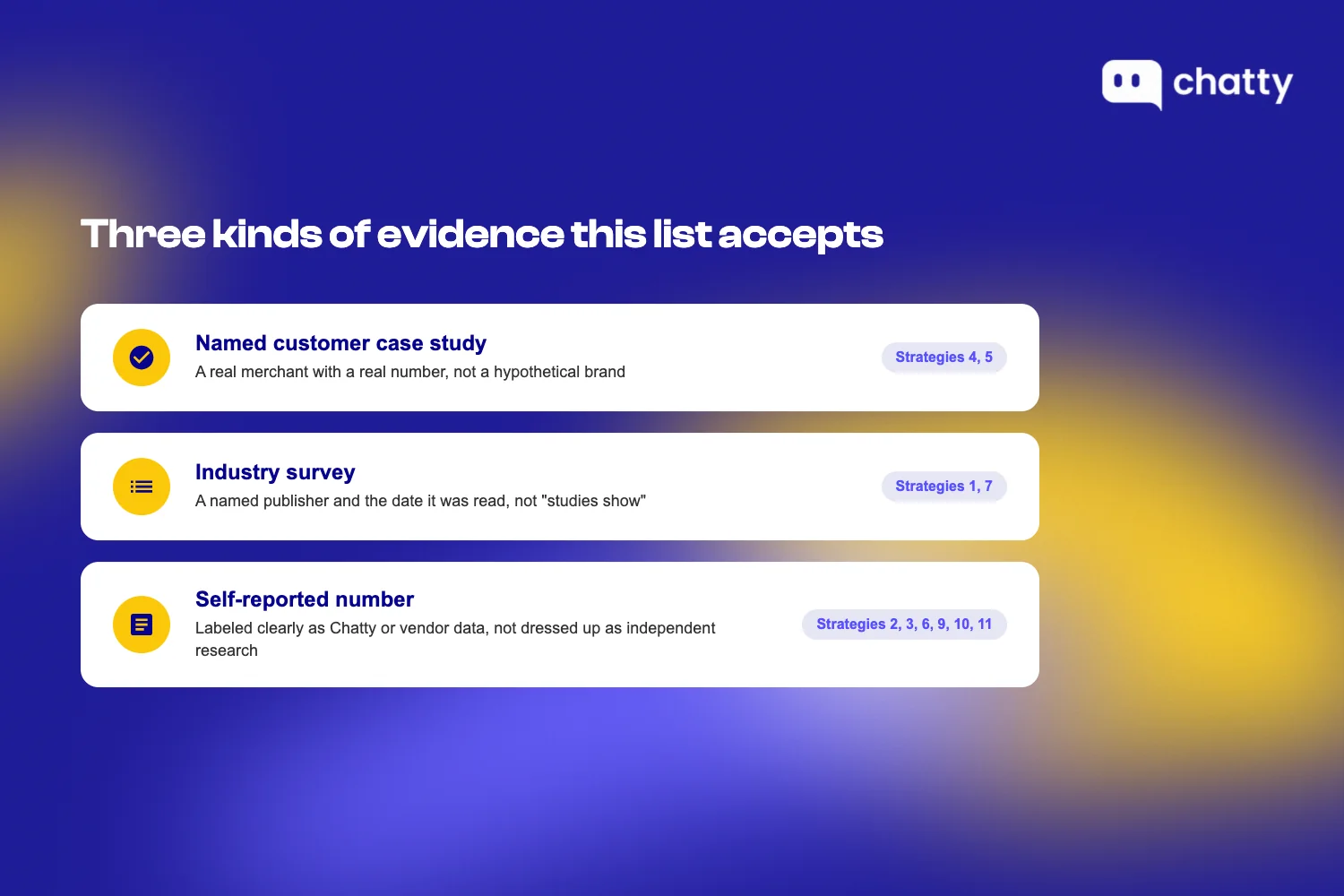
A BFCM strategy earns the word "proven" when it clears two bars: a named evidence source, and an action the reader can complete this week. This article accepts three evidence types:
- A named customer case study with a real merchant and a real number.
- An industry survey with a named publisher and a date it was read.
- A self-reported number, from Chatty or another vendor, labeled clearly as self-reported rather than dressed up as independent research.
Yotpo's list shows what happens without that bar. Thirteen tactics, and not one of them cites a source, a survey, or a case study, read 14 September 2026. Every entry reads like good advice because it probably is, but "probably" isn't proof, and a reader has no way to tell which of the 13 actually moved a number for someone else.
Ordered by impact and ease of action, not by customer journey stage. Do the top few first if time is short.
That's the rule for everything below. Strategy 1 costs almost nothing to implement and affects the majority of your BFCM conversations. Strategy 11 requires the most setup and sits last on purpose, not because it matters least, but because a small team working through this list in order should hit it only after the higher-leverage, lower-effort work is done.
11 proven BFCM strategies for 2026
1. Cover the after-hours gap
More than half of BFCM shopper conversations happen when nobody on a typical small team is watching. 53% of BFCM conversations land outside the 9am-6pm UTC window, according to Chatty's internal BFCM conversation data. Separately, 74% of consumers now expect customer service to be available 24/7, according to Zendesk's CX Trends 2026 report (read 14 September 2026). Put those two together and a business-hours-only team is structurally missing more than half its BFCM conversations, every single day of the sale.
This is the highest-impact, lowest-effort item on the list because fixing it doesn't require new infrastructure. It requires writing down answers you already know.
Start here:
- Find the specific hour block your team never covers, and write saved replies for exactly that window.
- Turn your 5 most common after-hours questions into ready-made saved replies before BFCM week starts.
- Test your own after-hours experience at 11pm, not during business hours when everything looks fine.
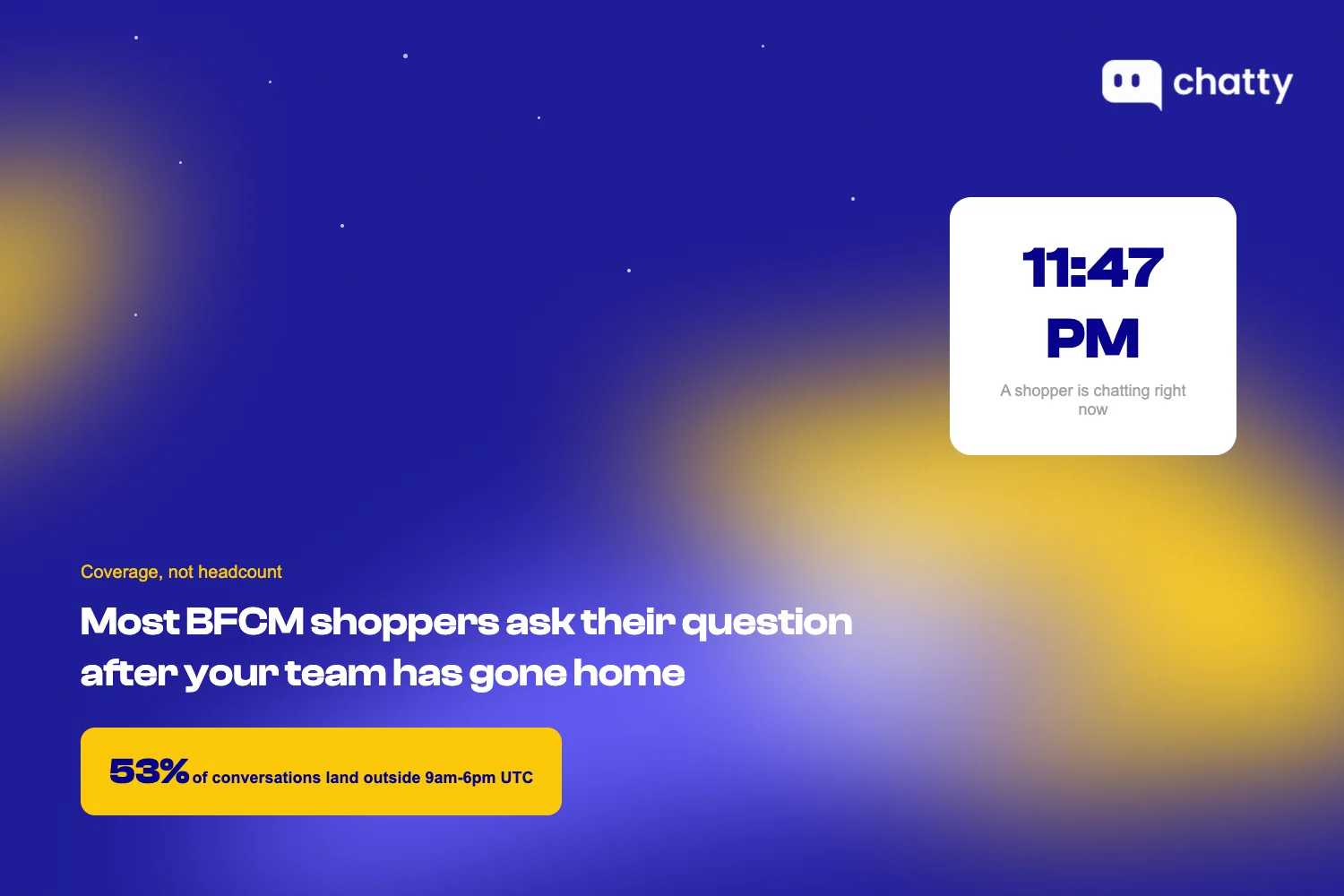
Coverage, not headcount, is the real question here. Read the full breakdown of where coverage gaps actually sit in how to get your customer support ready for BFCM.
2. Answer buying questions before order-status questions
Shoppers asking whether to buy outnumber shoppers asking about an order they already placed. Recommendations, comparisons, and promotions together make up 36.5% of BFCM conversations, more than orders and account questions alone at 26.1%, according to Chatty's internal BFCM conversation data. Most support prep goes the other way: teams stock up on order-tracking macros and leave buying questions to the product page.
That's backwards. A shopper deciding between two products is still deciding whether to buy from you at all. Leave that question unanswered and you don't lose a support ticket, you lose the sale.
Fix that this week:
- Ask your own chat the 5 buying questions shoppers ask most, and see what it actually says back.
- Put real, specific answers in your FAQ instead of relying on product descriptions to do that job.
- Write a short comparison paragraph for every product pair shoppers ask about most.
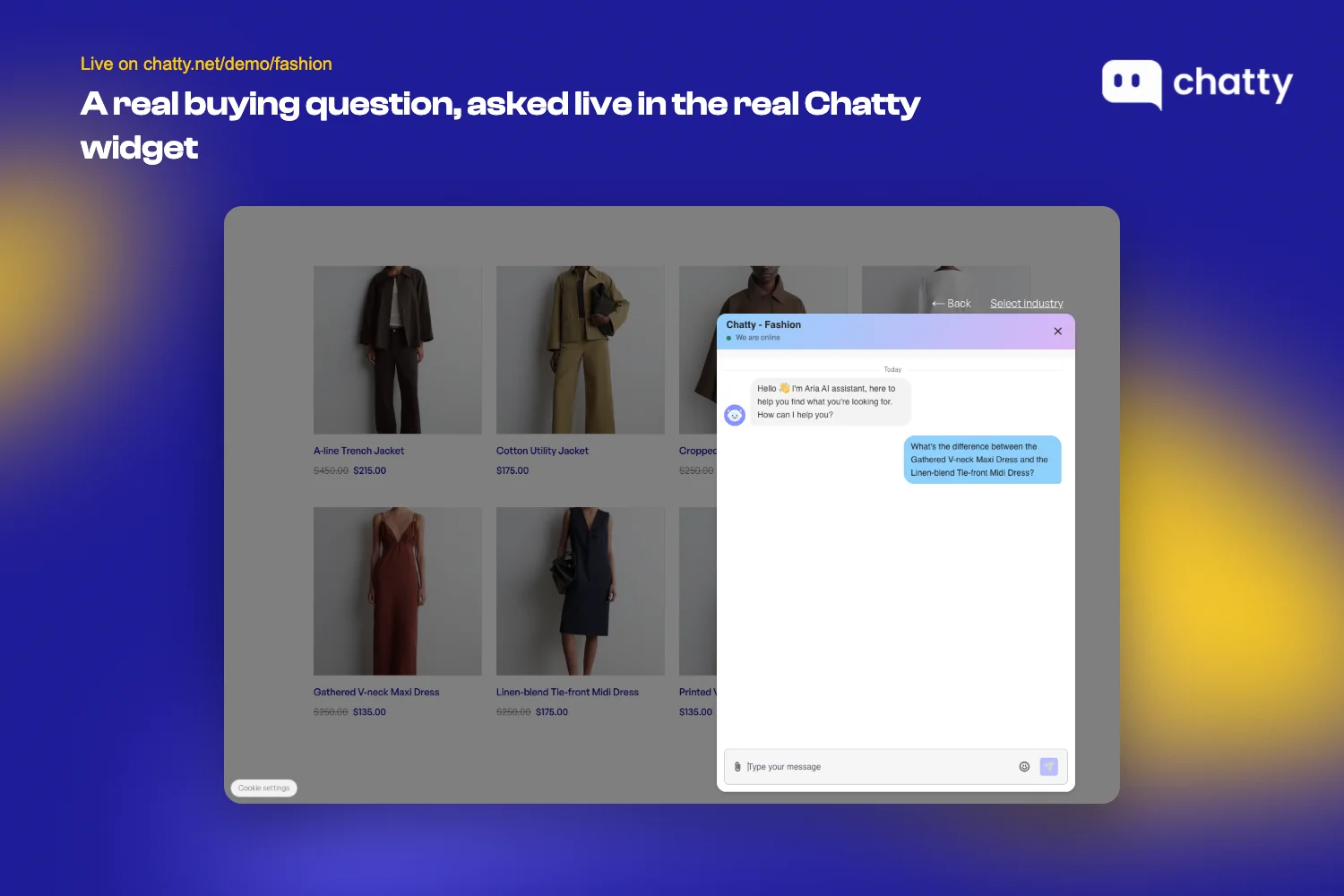
3. Fix the channel shoppers actually use, not the one marketing is loudest on
BFCM doesn't reshuffle which channel shoppers use to reach you. The on-site chat widget carries 83.9% of BFCM conversations, almost unchanged from the 30 days before the sale, according to Chatty's internal BFCM conversation data.
Marketing teams spend BFCM prep time worrying about social DMs and email deliverability. The actual traffic is sitting on the widget on your own site, and it doesn't move.
This is a two-minute fix, not a project. You're not building anything new, you're confirming what already exists still works.
- Open your slowest-loading page on your phone right now and try to start a chat.
- Re-test chat every single time you change a theme or install a new app between now and BFCM.
- Put your remaining prep budget where the traffic actually sits, not where marketing is loudest.
If your channel test also turns up shoppers abandoning carts mid-conversation, that's a separate, well-documented problem. Reducing cart abandonment during Black Friday walks through the four causes BFCM compresses into a shorter, costlier window.
4. Give shoppers a clear escalation path to a human
Every strategy above assumes AI or a saved reply can answer the question in front of it. Sooner or later, one won't. Without a clean path to a person, that single unanswered question undoes the credibility every automated answer before it built.
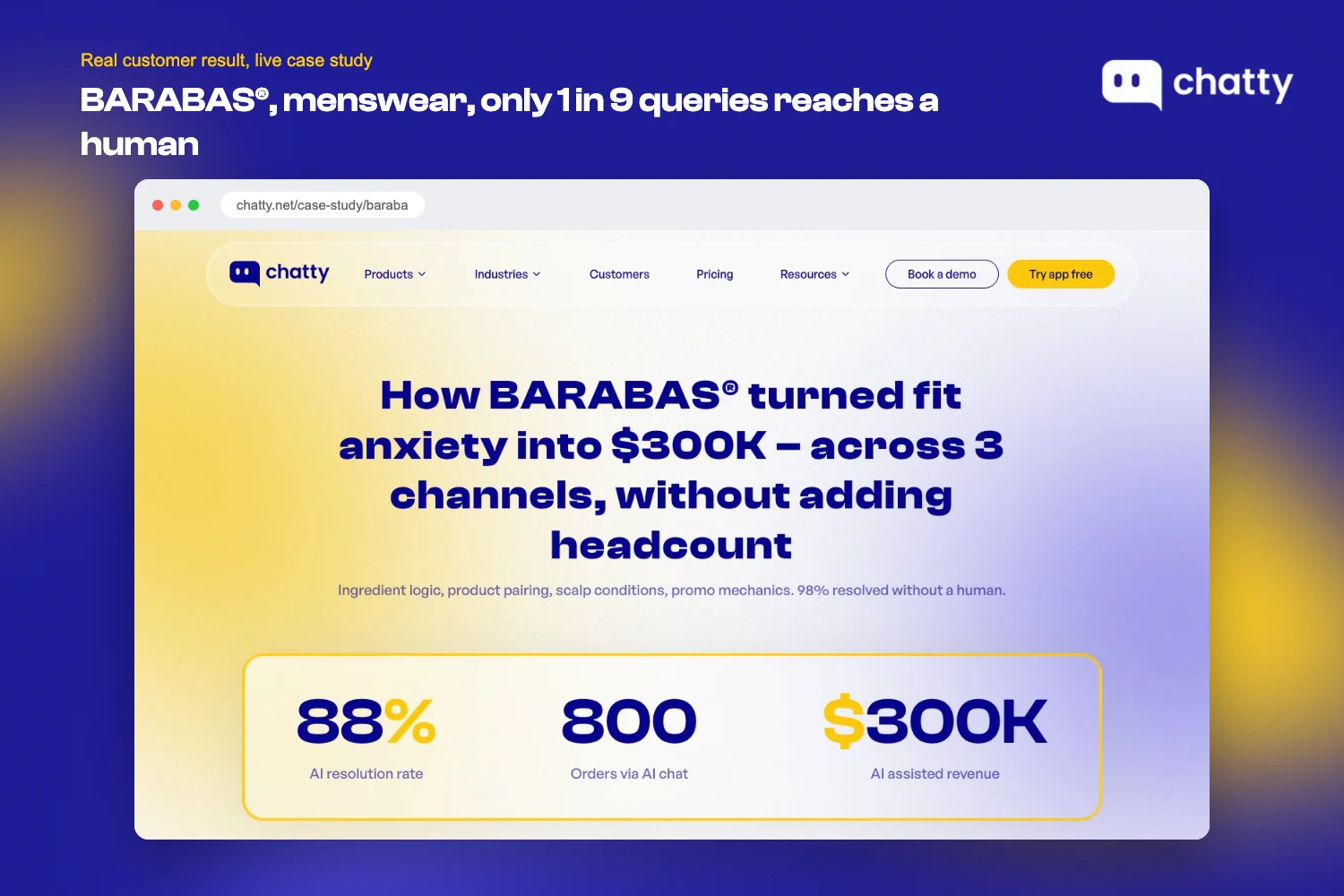
BARABAS®, a US menswear brand with over 69,000 lifetime orders, put this to the test across its website, Instagram, and Facebook. Only 1 in 9 queries escalates to a human, and the AI handles the rest, including de-escalating frustrated after-sale conversations by giving an order number and a clear next step before a person ever needs to step in.
Edge cases still get escalated cleanly to the team rather than getting stuck. The result was an 88% AI resolution rate and $300,000 in AI-attributed revenue in year one, without hiring for the two busiest months of the year.
That escalation path only works if it's decided in advance, not improvised mid-spike. Lock down these three things now:
- Define exactly when AI should hand off to a person, in writing, before BFCM starts.
- Publish your real staffed hours so shoppers know when a human is actually there.
- Test the handoff path end to end before the first peak day, not during it.
The shift here isn't just adding a person to the loop. It's building a journey where AI, the shopper, and a human all have a defined role, which is exactly the change covered in how the traditional customer journey is becoming agentic.
5. Use AI to absorb the traffic spike without adding headcount
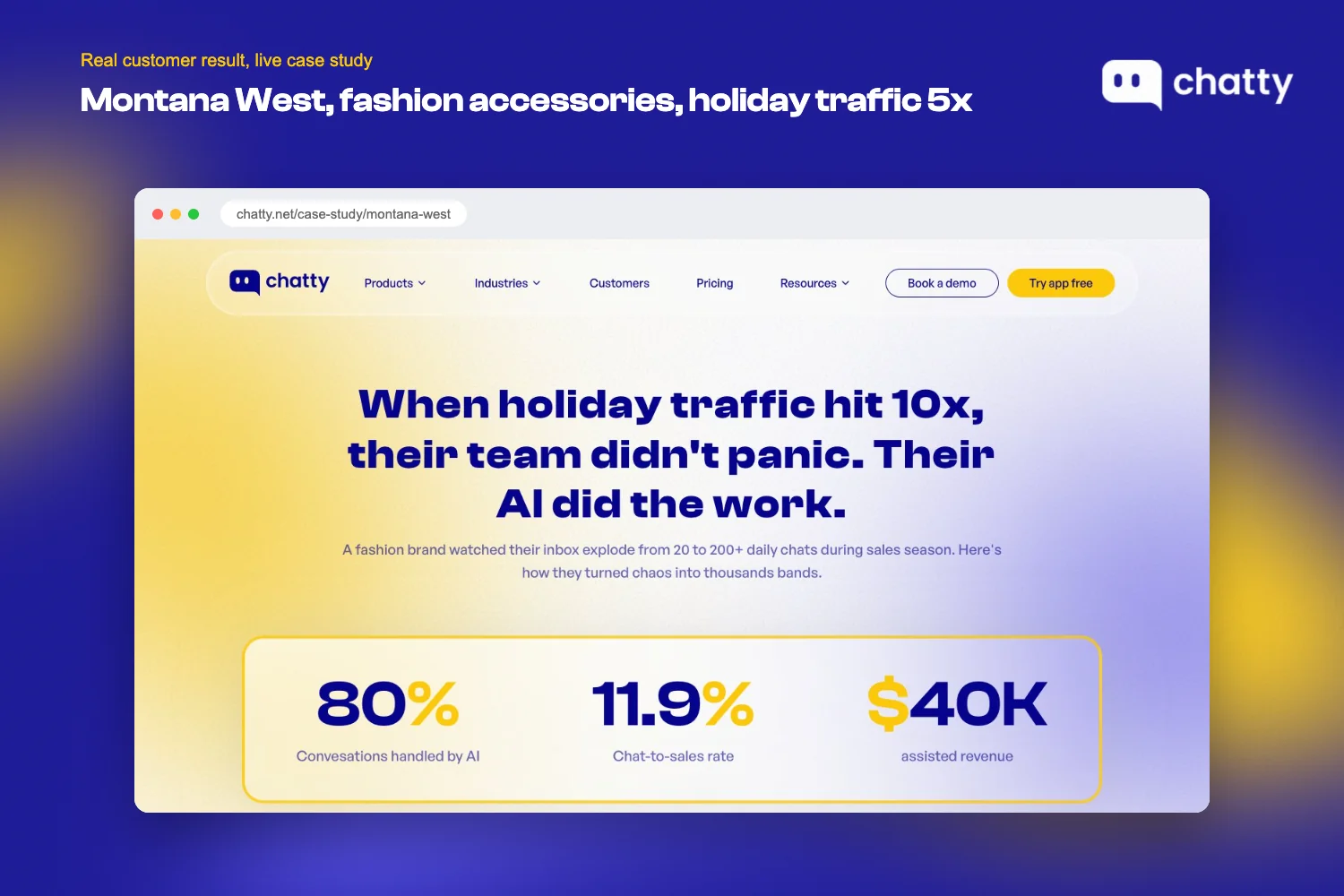
Escalation paths matter because most of the volume shouldn't reach a human at all. Montana West, a fashion accessories brand, saw daily conversations go from 30 to 40 in early November to 200+ near Black Friday 2025. Chatty closed 80.71% of conversations without the team, while human agents focused only on the complex styling consultations that actually needed a person's judgment.
From July to December 2025, Chatty brought Montana West $41,115 in assisted revenue, and 11.86% of its 4,240 conversations ended in an order.
That's the model worth copying: AI takes the repeatable volume, people take the judgment calls. Set that up before your own spike hits:
- Turn on automated answers for your top 10 repeat questions before the spike hits, not after.
- Set a clear handoff threshold for when AI should stop guessing and hand off instead.
- Review every question AI declined to answer the morning after your first peak day.
For a broader look at why AI absorbing volume matters more at BFCM than any other week of the year, see why AI is your BFCM safety net.
6. Write sale-season return terms with real dates, not a policy link
Sales create returns, and BFCM creates them on a compressed timeline. Post-purchase conversations, returns, refunds, exchanges, and related questions, made up 11.8% of classified conversations during the 8-day BFCM peak window, according to Chatty's internal BFCM conversation data, the third-largest category behind order/account questions and product recommendations. That volume lands on a team that's already stretched thinner than any other week of the year, right when patience for a vague policy is at its lowest.
A generic returns-policy link doesn't hold up under that pressure. A shopper who just paid full price during a sale week wants a specific answer, not a link to a page written for an ordinary Tuesday. What holds up is a written, dated, specific policy a stretched team can point to without thinking twice about it.
- Write your sale-season return policy as one paragraph with real cutoff dates, not a link to a general policy page.
- Ask for a photo in the very first return message, not three replies into the conversation.
- Name one person with the authority to approve refunds during peak week, so nobody's waiting on a decision.
The timing problem here goes deeper than volume alone. Managing and reducing BFCM returns covers the pressure points in full, including why returns cluster weeks after the sale ends, not immediately after it.
7. Sync support scripts with the discount your marketing team is actually running
Marketing and support running on different information is its own kind of BFCM failure. Klaviyo's 2026 BFCM checklist (read 14 September 2026) recommends training support AI on "discount code issues" specifically as a BFCM scenario, and recommends surfacing a shopper's active discount code directly so they don't need to contact support to find it. That's a named vendor flagging discount-code confusion as a real, recurring support burden during BFCM, not a guess.
Marketing teams launch codes fast during BFCM week, sometimes several in the same day, and support is usually the last to know which ones are still live. A shopper who hits "apply" and gets rejected doesn't assume the code expired. They assume your store is broken, and the conversation that follows costs more trust than the discount itself was worth.
The fix is coordination, not technology:
- Sync the live discount code list with your chat and support team before launch day, not after complaints start.
- Pre-write the answer to "is this code still valid?" before shoppers ask it.
- Check that expired codes don't get answered incorrectly by AI or by agents working from an outdated list.
8. Decide the one number that triggers "call for backup" before BFCM starts
Strategies 1, 4, and 9 all involve setting a threshold, such as an after-hours coverage gap, a handoff point, or a staffing plan for peak days. None of those thresholds are useful if nobody decides, in advance, what number actually means "things are going wrong."
This step doesn't add a new data source. It's a synthesis of everything above into one decision your team makes once, calmly, before BFCM starts, instead of five separate decisions made under pressure by whoever happens to be on shift when something breaks.
- Pick one concrete number, conversations per hour, or a specific drop in satisfaction, as your trigger.
- Write it down and tell the whole team before BFCM, not during it.
- Don't decide the threshold live, in the middle of a peak day. That's exactly when judgment is worst.
Crisis response works the same way. It's decided calmly beforehand or improvised badly in the moment, which is the same argument made in building a BFCM crisis management plan.
9. Plan for two spikes, not a season-long ramp
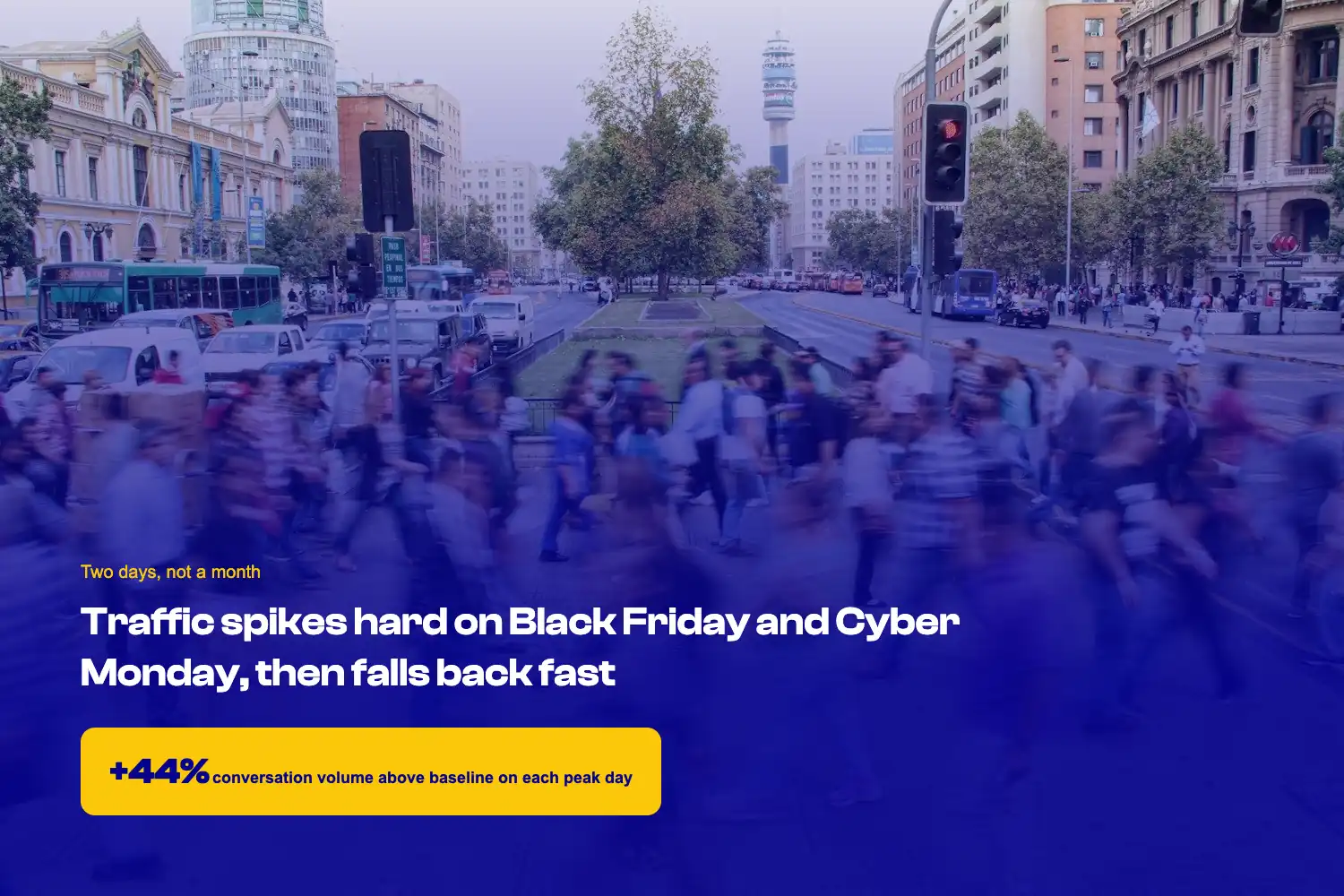
BFCM traffic doesn't ramp up gradually across the season. It spikes twice and falls back fast. Black Friday pulls conversation volume 44% above baseline and Cyber Monday 36%, then both drop back within two days, according to Chatty's internal BFCM conversation data.
A team that spreads its prep evenly across the whole month is preparing for a pattern that doesn't exist.
That's a scheduling problem, and it's a bigger lift than it looks, because it means rebuilding the team's whole shift plan around two specific days instead of a season. Do this early, not the week of:
- Assign specific work to each day of BFCM week instead of spreading effort evenly across the month.
- Schedule your best coverage on the two peak days specifically, not the whole sale period.
- Block 2 hours each weekend to clear the backlog of unanswered chats before it compounds.
For the full week-by-week staffing plan this feeds into, see the BFCM readiness playbook.
10. Report resolution rate, not response time, during peak week
Fast replies during peak week can still mean unhappy shoppers if the reply doesn't actually solve anything. Chatty's own analytics track resolution and handling time directly for exactly this reason, a self-reported product metric, not an independent industry survey. It exists because response speed alone doesn't tell a merchant whether a conversation ended in a solved problem or a shopper who gave up and left.
That distinction matters more during peak week than any other week of the year, because a team under pressure will naturally optimize for the metric it's watching. Watch the wrong one and you'll hit your number while shoppers walk away unresolved.
- Switch your weekly tracked metric from response speed to resolution rate for the BFCM period.
- Pull last year's BFCM-week satisfaction score for your own store as a baseline to compare against.
- Set a threshold for how far resolution rate can drop before you call for backup, decided before BFCM, not during it.
11. Personalize by session signal, not purchase history
The last strategy on this list takes the most setup, which is exactly why it's last. Black Friday pulls conversation volume 44% above baseline and Cyber Monday 36%, according to Chatty's internal BFCM conversation data. That conversation data measures volume, not whether a shopper has visited before, so treat the share of first-time visitors in that spike as something to check in your own analytics rather than a figure to assume.
A personalization system built entirely on purchase history has nothing to work with for the majority of that traffic, at the exact moment personalization would matter most.
The fix is switching what the system personalizes against. Session behavior, such as pages viewed or products added to cart, works for a shopper with zero history in a way purchase data never can.
- Turn on personalization based on current session behavior instead of waiting on purchase history that doesn't exist yet.
- Review the product-recommendation widget on your best-selling category page specifically, since that's where new-shopper traffic concentrates.
- Read the full technical breakdown before implementing, since this is the most involved change on this list.
This entire strategy is built directly on how to personalize the BFCM shopping experience without purchase history, which covers the mechanism in full.
Work down the list, don't try to do it all at once
Every strategy above cleared the same bar: a named source, and an action you can finish this week, not a benefit claim floating on its own. That's what separates this list from the ones that just count tactics, and it's also why the order carries real advice instead of following sale-timeline stage. Strategies that move the needle most for the least work sit at the top, the ones needing more setup sit toward the bottom on purpose.
If you can only do three things from this list, do the first three: cover the after-hours gap, answer buying questions before order-status questions, and confirm the channel your shoppers actually use still works. All three cost almost nothing to implement and touch the majority of your BFCM conversation volume. Everything from strategy 4 onward adds more value, but it also asks for more time, more coordination, or more technical setup, which is exactly why the order here isn't arbitrary.
Frequently asked questions
Three types count: a named customer case study with a real number, an industry survey with a named publisher and a read date, or a self-reported vendor number explicitly labeled as self-reported. A benefit claim with no source behind it, however reasonable it sounds, doesn't qualify.
Start with covering the after-hours gap. It's the highest-impact, lowest-effort item on this list because more than half of BFCM conversations already happen outside standard business hours, and fixing it means writing saved replies, not building new infrastructure.
No. Strategies 1 through 3 and 6 through 8 mostly require writing things down, such as saved replies, return terms, or a backup threshold, not new systems. Strategies 4, 5, and 11 lean more on AI-assisted support already in place, and strategy 11 specifically requires session-based personalization capability.
A prep calendar tells you when to do something. This list tells you what to do first if you can't do everything, ranked by how much it moves the needle against how much effort it takes, not by which week of the countdown you're in.
The underlying strategies apply regardless of what tool runs your support, whether that's after-hours coverage, evidence-backed returns policies, or session-based personalization. Three of the eleven (escalation paths, absorbing traffic spikes, and session-based personalization) are illustrated here with Chatty customer results and Chatty's own analytics, but the principle behind each one holds for any AI-assisted support setup.