









Most BFCM prep fails for a boring reason: merchants do the right tasks in the wrong week. A structured data fix and a staffing decision can both be "high priority," but one needs weeks to confirm it actually worked and the other needs days. Treat them the same way on your list, and the slow one runs out of runway right when you need it most.
This playbook sequences five customer experience fixes by exactly that: how long each one takes to verify, not how important it feels. Eight weeks out, four weeks out, two weeks out, BFCM week itself, and the two weeks after, each with the one or two actions that actually belong there.
- The deadline that matters is verification time, not importance
Support handoff is the highest-priority CX fix in this playbook, but it only takes days to define and test. Structured data and load testing take weeks to confirm, so they have to start first even though they rank lower on the priority list.
- 8 weeks out is for anything slow to verify
Structured data re-crawls, load tests, and policy rewrites all need real turnaround time you can't compress into a late start.
- 4 weeks out is for build-and-test, not build-and-hope
Handoff triggers, support answers, and mobile checkout all need a real test against real conditions, not a design review.
- BFCM week has one job: freeze and watch
Nothing new gets shipped. The only work left is monitoring and logging what breaks for the post-BFCM review.
- A playbook without dates is just a wish list
Pair every action here with a specific week, or it competes for attention with everything else on the list right up until it's too late to fix.
Why the order of BFCM prep matters more than the list of tasks
A complete task list doesn't fail you. A wrong start date does. The real deadline for any BFCM fix isn't how important it is, it's how long it takes to verify the fix actually worked.
Priority ranking gets this backwards. Two fixes from this playbook show why:
- Support handoff ranks highest on priority, but takes only days to define and test.
- Structured data cleanup ranks lower on priority, but you cannot confirm it landed until search engines re-crawl those pages, and no one publishes a guaranteed turnaround for that. On a small store it is routinely a week or more.
Sort by priority, and handoff starts first, structured data starts late. Structured data is then still mid-recrawl when Black Friday traffic arrives, so your best sellers stay invisible to AI shopping agents and Google at the exact moment that costs the most.
Sort by verification time instead, and structured data starts first, because its wait time is the longest on the list.
Self-check: for every task on your BFCM list, ask "how long does it take to confirm this actually worked," not "how important is this." Sort by that answer, and the order changes.
One note before the timeline starts: this playbook mentions two different kinds of AI, and they solve two different problems.
- AI shopping agents (ChatGPT, Gemini, and similar) act on a customer's behalf before they land on your store, researching and comparing products elsewhere on the web.
- AI chat tools (a widget like Chatty) run on your store, answering a customer directly once they're already there and open the chat.
Both show up later in this playbook. Keep the distinction in mind: one is about being found, the other is about what happens after someone finds you.
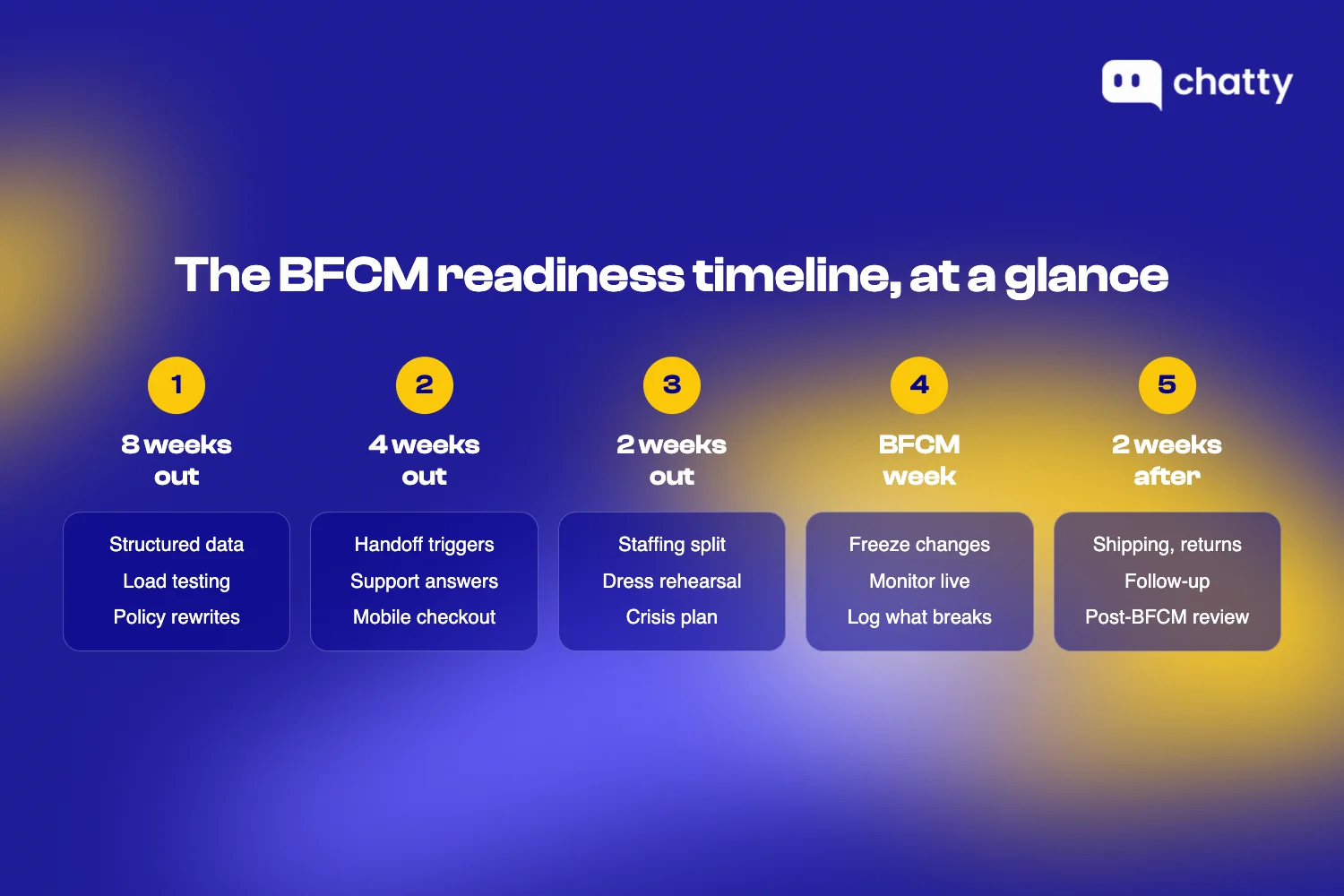
8 weeks out, the fixes that need time to verify
Eight weeks out is for anything that needs a real cycle to confirm, not a same-day check. Three items belong here because each one has a built-in wait: a crawl cycle, a load test that needs traffic volume to be meaningful, or a policy rewrite that needs review before it goes live.
Several proven fixes benefit from starting this early. Here are the three that most commonly get pushed too late:
Clean up structured data and stock info for your top sellers
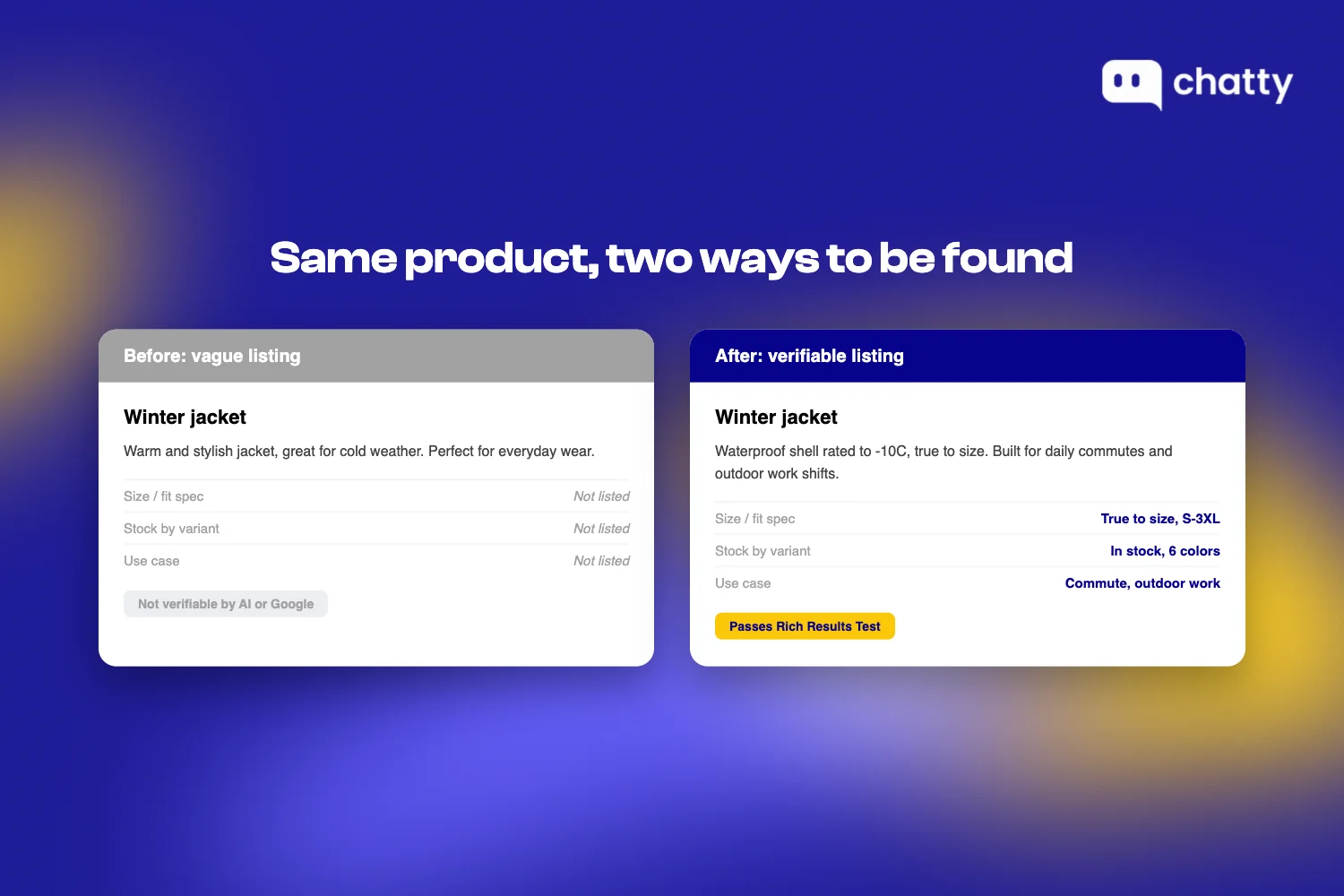
Why it matters: More shoppers now ask an AI assistant to find and compare products for them instead of browsing themselves, an "AI shopping agent" acting on the customer's behalf. That agent, and Google itself, can only recommend a product it can verify. A vague listing or a stale stock field is invisible to both, and fixing it doesn't take effect the moment you save the change. It takes effect after the next re-crawl, and how long that takes depends on your site's crawl frequency rather than on anything you can schedule.
The agentic CX journey covers why this shift toward AI-readable data matters beyond BFCM. Here, it's a deadline problem more than a discovery problem.
What to do:
- Pull your 10-15 best sellers from the last 90 days.
- Paste each URL into Google's Rich Results Test and confirm price, availability, and review fields all return valid.
- Fix anything missing today.
- Check the same 10-15 URLs again in 10 days to confirm the re-crawl landed before moving on to anything downstream of that data.
Load-test checkout and site performance before traffic climbs
Why it matters: A checkout that loads fine at normal traffic can fail entirely once BFCM volume hits. Testing under normal conditions and assuming it holds won't tell you that. Testing under load will.
What to do:
- Run a load test simulating at least 3x your average concurrent traffic, using a tool like k6, Loader.io, or whatever your hosting provider offers natively.
- Flag anything that pushes checkout load time past 3 seconds under that simulated load.
- Send the results to whoever owns hosting or theme performance this week, not the week before BFCM, since a real fix (server upgrade, app audit, theme cleanup) needs its own testing cycle afterward.
Rewrite the return/shipping policy pages that AI shopping agents and customers will both be checking
Why it matters: A customer asking "can I return this after Black Friday" often gets that answer secondhand, from an AI shopping agent that read your policy page on their behalf, not from the customer reading it themselves. Legal-sounding hedges read as ambiguous to a human and unparseable to that agent trying to extract a clear answer. Either way, a policy rewrite needs review time, not just drafting time, especially if legal or a store owner has to sign off before it goes live.
What to do:
- Rewrite your return and shipping policies to under 100 words each, stating the window and refund timeline in plain terms.
- Route the draft for sign-off this week so it's live with at least 6 weeks of runway, giving you time to catch any customer confusion before BFCM week itself.
4 weeks out, build and test the things customers will actually run into
Four weeks out is for anything you can build quickly but still need to test against real conditions, not just review on paper. Three items fit this window: they don't need re-crawl cycles, but a draft alone isn't the same as a working, tested version.
Define the AI-to-human handoff
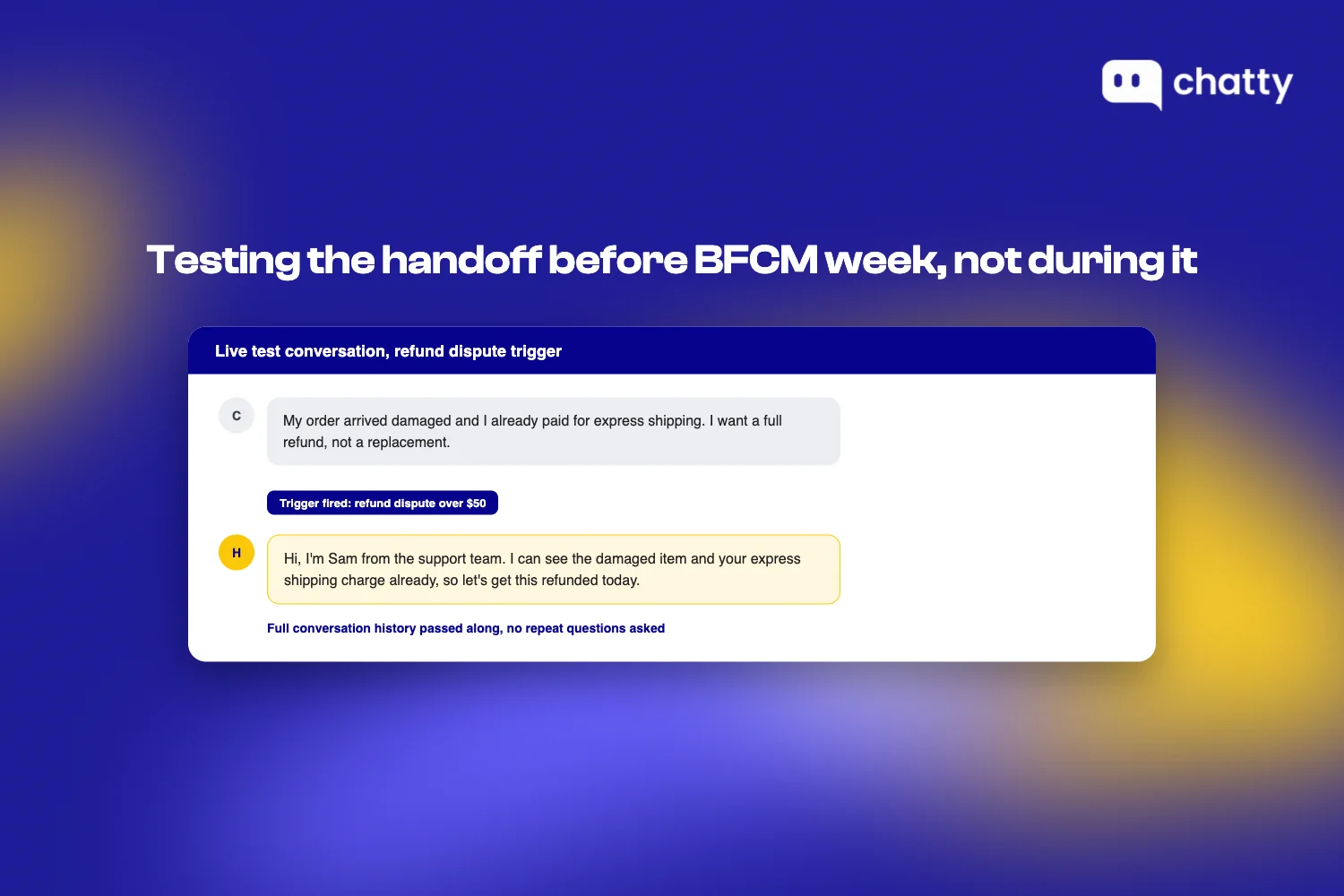
Why it matters: Some conversations still need a person, even when an AI chat tool answers customers directly on your store. A real dispute, an angry customer, anything outside what the AI is confident answering. That moment, where the AI hands the conversation to a human, is the handoff. An undefined handoff is the most common breakdown point in this setup. Describing it in a meeting doesn't make it a real policy. It becomes one once it's written down as specific triggers and tested against a live conversation.
What to do:
- Write down the exact triggers: an order dispute, any message mentioning a refund over a set dollar amount, a repeated or angry message.
- Run 5 test conversations against those triggers this week.
- Confirm the handoff fires on all 5, and that the human side receives the full conversation context, not just a ticket number.
Draft and test your top 10-15 support answers against last year's actual questions
Why it matters: A drafted answer that's never been checked against a real question from last BFCM is a guess dressed up as documentation. Testing it against real transcripts is what turns it into something your team, and your AI chat tool if you use one, can actually rely on under volume.
What to do:
- Pull your top 10-15 support questions from last BFCM (or last quarter, if this is your first one).
- Write one answer per question.
- Ask a teammate to answer the same 10-15 questions cold, without seeing your written answers, then compare.
- Fix any mismatch before this window closes; it's a sign the written answer isn't clear enough yet.
Run the mobile checkout test from a real device, not a desktop preview
Why it matters: A desktop responsive-mode preview misses real mobile conditions: actual load time on a cellular connection, actual thumb-reachability of buttons, actual autofill behavior. If a meaningful share of your BFCM traffic comes from phones, a desktop-only test tells you nothing about the experience most of those shoppers actually get.
What to do:
- Complete a real purchase, start to finish, on your own phone over cellular data, not wifi.
- Count the steps from product page to confirmation.
- Treat anything past 3 steps, or any load time over 3 seconds on a throttled connection, as a friction point that needs a fix and a re-test before this window closes.
2 weeks out, staff, stress-test, and rehearse
Two weeks out is close enough that anything you start here has to be fast to define and fast to confirm. Staffing decisions, a full rehearsal, and a written crisis plan all fit that window, because none of them need a multi-week cycle the way structured data or a policy rewrite does.
Decide your staffing-vs-AI-chat-tool split for the volume spike
Why it matters: Waiting until BFCM week to figure out coverage means making the decision under pressure, with no time to adjust if the first plan doesn't hold. Two weeks out is late enough that ticket volume forecasts are reasonably accurate, and early enough to still act on the answer.
What to do:
- Look at your ticket mix from the last 90 days and estimate what share is repetitive (order status, policy lookups) versus judgment-heavy (disputes, exceptions).
- Lock a coverage plan, in writing, that names who or what handles each ticket type during peak days. This is the playbook-level version; the full headcount and ticket-mix math is a separate, deeper topic.
- If the human side of that plan needs a refresher before volume hits, run a structured 30-day training plan now, not during BFCM week itself.
Run a full dress rehearsal: simulate a volume spike end to end
Why it matters: Individual pieces working in isolation (checkout, support answers, handoff triggers) don't guarantee they work together under simultaneous load. A rehearsal is the only way to catch a failure that only shows up when everything runs at once.
What to do:
- Pick one afternoon and run a simulated spike: flood test traffic through checkout while your support team (and AI chat tool, if you use one) handles a batch of test conversations pulled from last year's real questions.
- Time how long it takes support to clear the batch.
- Fix anything over your target response time now, while you still have 2 weeks left to retest.

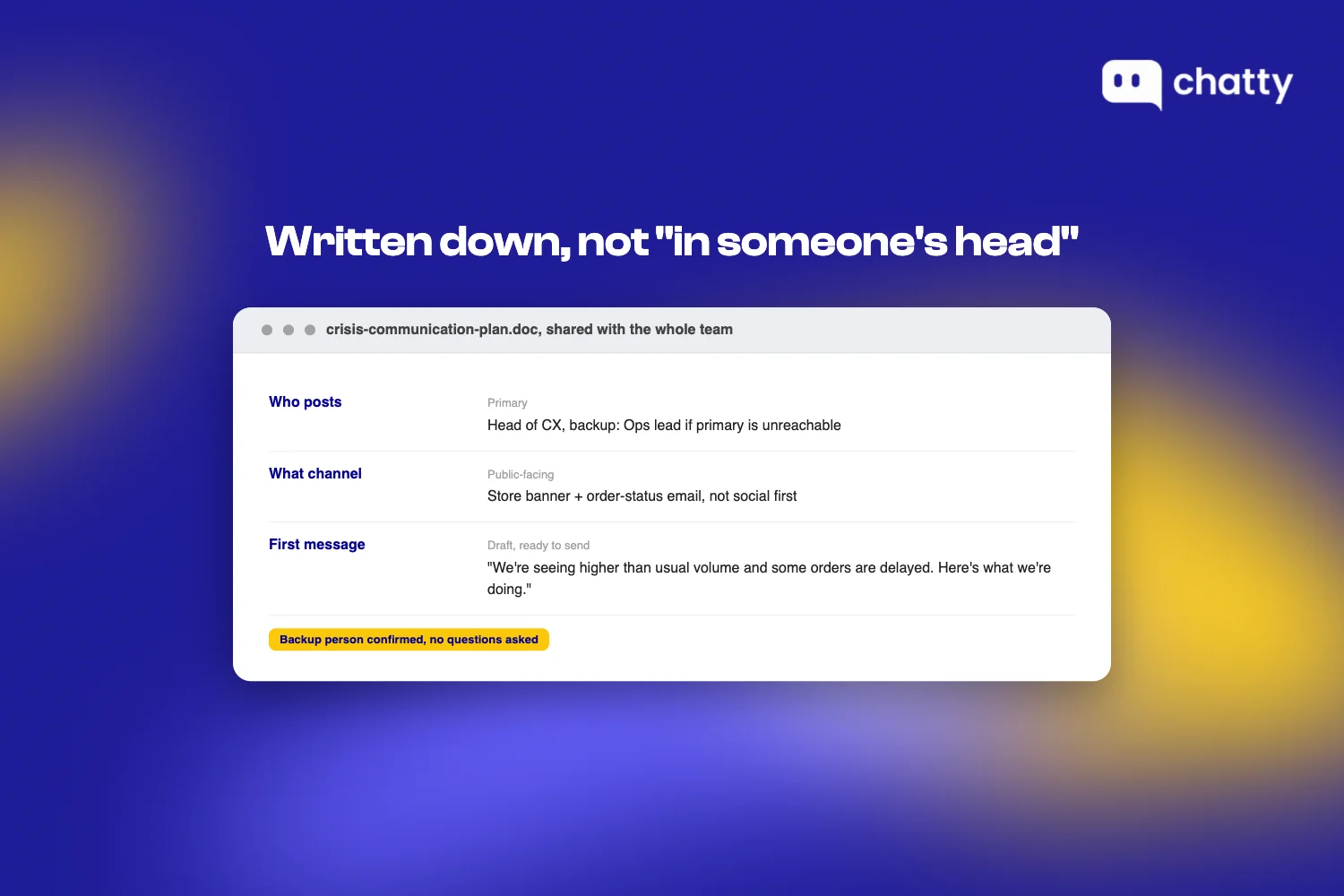
Confirm your crisis-communication plan is written down, not just "in someone's head"
Why it matters: A plan that exists only as shared understanding falls apart exactly when it's needed most: during a spike, when the person who "just knows what to do" is unreachable or already overwhelmed.
What to do:
- Write down who posts an update if something breaks publicly (a stockout, a shipping delay, a site outage), what channel they use, and what the first message says.
- Share the document with everyone who might need to act on it.
- Confirm at least one backup person could execute the plan without asking a question first.
BFCM week, what to touch and what to leave alone
BFCM week has a different rule than every week before it: nothing new starts, because nothing started this week has time to be properly verified before it's live in front of peak traffic. The work left is watching, not building.
Freeze non-critical changes
Why it matters: A code deploy, a theme change, or an app update that works fine on a quiet Tuesday can break checkout on the highest-traffic day of the year, and there's no time left to catch it before it costs real sales.
What to do:
- Lock a change freeze starting the Monday before Black Friday, covering theme edits, app installs, and non-emergency code deploys.
- Route any exception through a single named approver, not a standing team decision, so nothing slips through by default.
Monitor response times and handoff failures in real time
Why it matters: A problem caught in hour one costs a handful of customers. The same problem caught in hour twelve, after it's been running unnoticed, costs a full day's worth.
What to do:
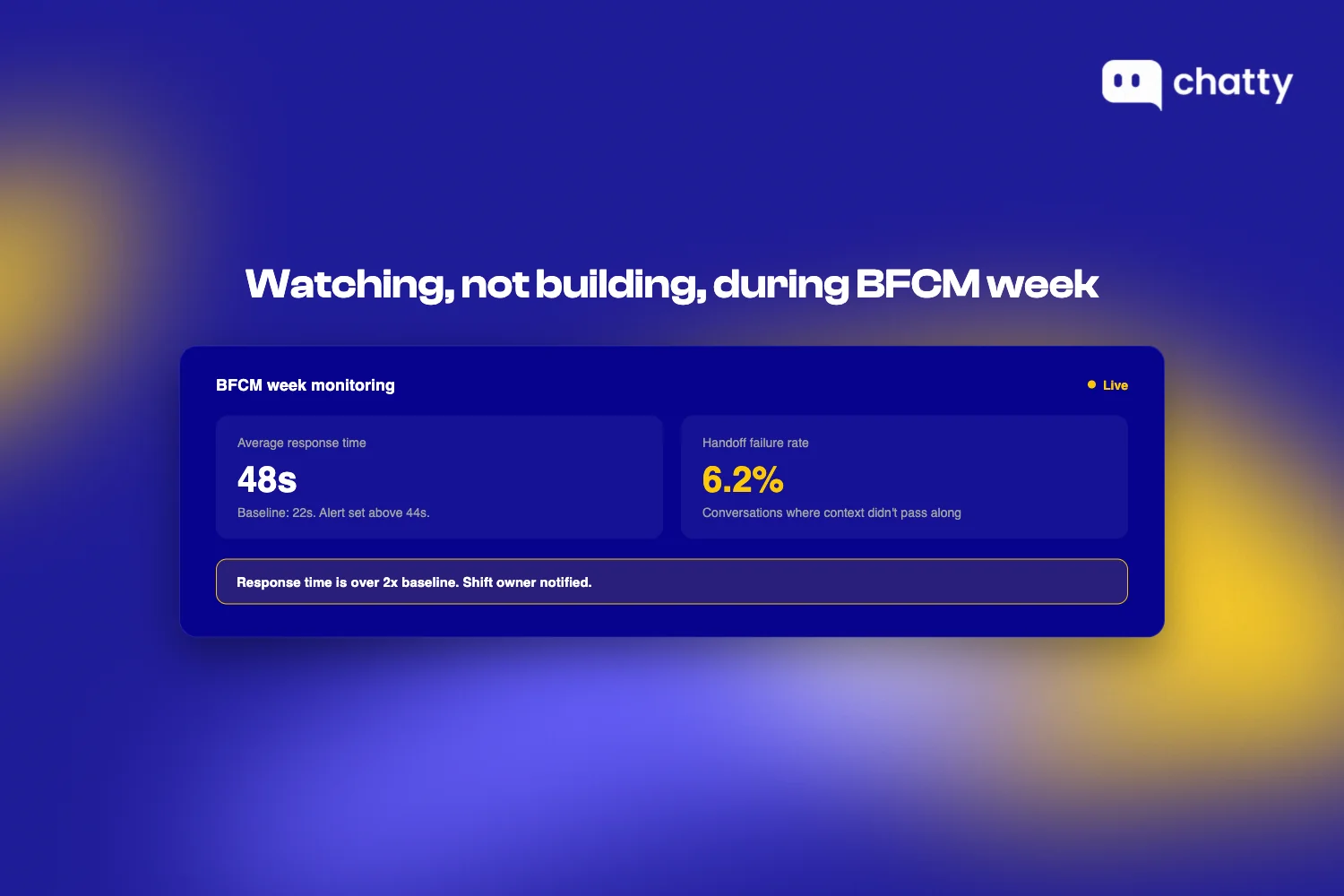
- Set a live dashboard or alert for two numbers: average response time, and handoff failure rate (conversations where a handoff trigger fired but the human side didn't get full context).
- Set an alert threshold, for example response time over 2x your normal baseline.
- Assign one person to own watching it for each shift.
Keep a running log of what broke, for the post-BFCM review
Why it matters: Memory of what went wrong fades fast once the week ends, and a fix that doesn't get documented in the moment usually doesn't happen at all.
What to do:
- Keep one shared doc open all week.
- Log every issue the moment it's spotted: what broke, what time, who caught it, what the fix was.
- Close BFCM week with that doc as the first agenda item for the post-BFCM review, not a summary written from memory days later.
The two weeks after, the part most playbooks skip
Most BFCM content stops at Cyber Monday, as if the timeline ends when the discount does. It doesn't. The two weeks after BFCM are where a first-time buyer either becomes a repeat customer or doesn't, and that outcome gets decided by how you handle shipping delays, returns, and follow-up in that specific window.
This playbook's job was getting you to BFCM week ready. Two articles pick up where this timeline stops. What to do after BFCM covers the follow-up message and the ten questions your inbox fills with once the sale ends. Managing the post-BFCM returns wave covers the return process itself. Treat this as the handoff point: the timeline in this article ends here, the depth on what to do next lives there.
Self-check: before BFCM week even starts, put a date on your calendar for the post-BFCM review, using the running log kept during BFCM week as the agenda. If that date isn't already set, it's the one task from this section to lock down now.
The one thing that makes this timeline easier to hit
Every fix in this playbook is something you can do without any particular tool. One part of it gets meaningfully easier with the right one, and it's worth naming which part, and which one it isn't.
The 8-week fix earlier in this playbook (cleaning up structured data) is about being found before a customer ever lands on your store: by Google, or by an AI shopping agent doing research on the customer's behalf. That's a discovery problem, and it happens outside your store.
Chatty solves a different problem, once the customer is already there. It's an AI-first chat platform that runs as a widget on your own store. When a customer opens the chat and asks about sizing, stock, or a policy detail, Chatty answers from the same clean product data you fixed at the 8-week mark, in the same conversation, instead of sending them back to the product page. That conversation can also hand off to a human when it needs one (the same handoff trigger defined at the four-week mark).
The two fixes share the same underlying data. They don't share the same moment: one gets you found, the other turns a visit into a sale.
If BFCM discovery and conversion are the stage you're weakest on, see how Chatty handles BFCM readiness, or install Chatty from the Shopify App Store directly.
Frequently asked questions
Start 8 weeks out for anything that needs a real cycle to verify: structured data re-crawls, load testing, and policy rewrites. Faster items like handoff definitions and staffing decisions can compress into the final 2-4 weeks, but the slow-to-verify fixes need the full runway.
This playbook spans all five CX stages (discovery, trust, purchase, support, and post-BFCM) on one time axis. A separate, narrower guide, which hours, channels and answers to prepare, covers only support and staffing decisions in more depth, and costing a seasonal hire against an AI lane does the headcount and ticket-mix math this article doesn't get into.
Freeze non-critical code deploys, theme edits, and app installs starting the Monday before Black Friday. Anything not started by then hasn't had time to be properly verified before peak traffic hits, so the only safe move is watching what's already live, not shipping something new.
Structured data and stock info cleanup for top sellers, because the fix itself only takes a day, but confirming it worked means waiting for search engines to re-crawl those pages, and that turnaround is outside your control. That wait time, not the task's difficulty, is what makes it the earliest start on the whole timeline.