













Live chat answers a shopper while they're still on your store. A helpdesk tracks a request that can't be finished in that moment, such as a refund, a return or a missing parcel.
Most Shopify stores need both. The useful question is where a chat stops being a conversation and becomes work that someone has to finish later.
A shared inbox sits between the two. It lets a team read and reply from the same email address, but each email thread is still the thing you manage. A helpdesk treats each request as a ticket with an owner, a status and a priority.
Pick the wrong layer and the failure looks the same every time. A shopper asks for a refund in chat and gets a friendly "we'll look into it". Then they close the window, and nobody looks into it.
This guide gives you the definitions, a side-by-side table, and a simple rule for the handoff between chat and ticket.
- Live chat and a helpdesk do different jobs
Live chat is a channel for questions that can be settled in a few minutes. A helpdesk is a system for requests that need follow-up over hours or days.
- A shared inbox is the middle step
It answers "who replied to this email?" A ticket goes further and gives each request a status, a priority and an owner.
- The real decision is the handoff
A chat should become a ticket when the outcome needs waiting, a money decision or someone outside the chat. The same goes for a chat where the shopper has already left.
- Small stores do not need a big helpdesk on day one
They need a written rule for which chats turn into tickets, and a tool that makes that conversion one click.
- Chatty puts both in one app
Shoppers chat with the AI agent or your team. Any conversation can become a ticket with a priority and an internal note. Support email can go straight into Helpdesk, which is on every plan, including Free.
Helpdesk vs live chat vs shared inbox at a glance
The three tools overlap in their marketing, so compare them on how they behave instead. This table uses response-time benchmarks compiled by Help Scout (read 6 October 2026).
| Live chat | Shared inbox | Helpdesk (ticketing system) | |
|---|---|---|---|
| What it is | A real-time chat window on your store | One team mailbox that several people work from | A system that turns each request into a tracked ticket |
| Expected response time | Under 1 minute is best in class, about 1.5 minutes is acceptable | Hours, like email | Hours for the first reply, then days until the ticket is resolved |
| Main channels | Website chat, sometimes social DMs | Email, sometimes social DMs | Email and manual tickets, often chat and social on larger plans |
| Who answers | Whoever is online, or an AI agent first | Whoever picks up the thread, or the person it is assigned to | One named assignee who owns the ticket until it is resolved |
| When a conversation becomes work to track | Never by itself. The chat ends when the window closes | When someone assigns, tags or flags the thread | Always. Every request is a ticket with a status from the start |
| Representative tools | Shopify Inbox, Tidio, tawk.to | Help Scout, Front | Zendesk, Freshdesk, Gorgias, Chatty Helpdesk |
Read the "when it becomes work" row twice. It is the row that decides which tool you are missing.
What is live chat?
Live chat is a messaging window on your website where a shopper gets a reply within seconds or minutes. The conversation happens while they're still browsing, and it lives and dies in that session.
That speed is the whole point. Help Scout cites HubSpot research: 90% of customers call an "immediate" reply to a service question essential or very important. The same research found that 60% of customers define "immediate" as 10 minutes or less.
Live chat meets that bar on questions like "does this run small?" or "do you ship to Canada?".
Live chat is weak at anything that outlasts the session. A chat window has no status that says "waiting on warehouse". If the shopper leaves before the problem is solved, the chat keeps the history, but nothing reminds your team to come back.
If you're weighing human chat against AI chat, our guide on chatbot vs live chat covers that split. For the basics, see what live chat is.
What is a shared inbox?
A shared inbox is a single mailbox, such as [email protected], that several teammates read and reply from. It comes with tools to assign threads and leave internal notes, so two people don't answer the same email. The unit you manage is still the email thread.
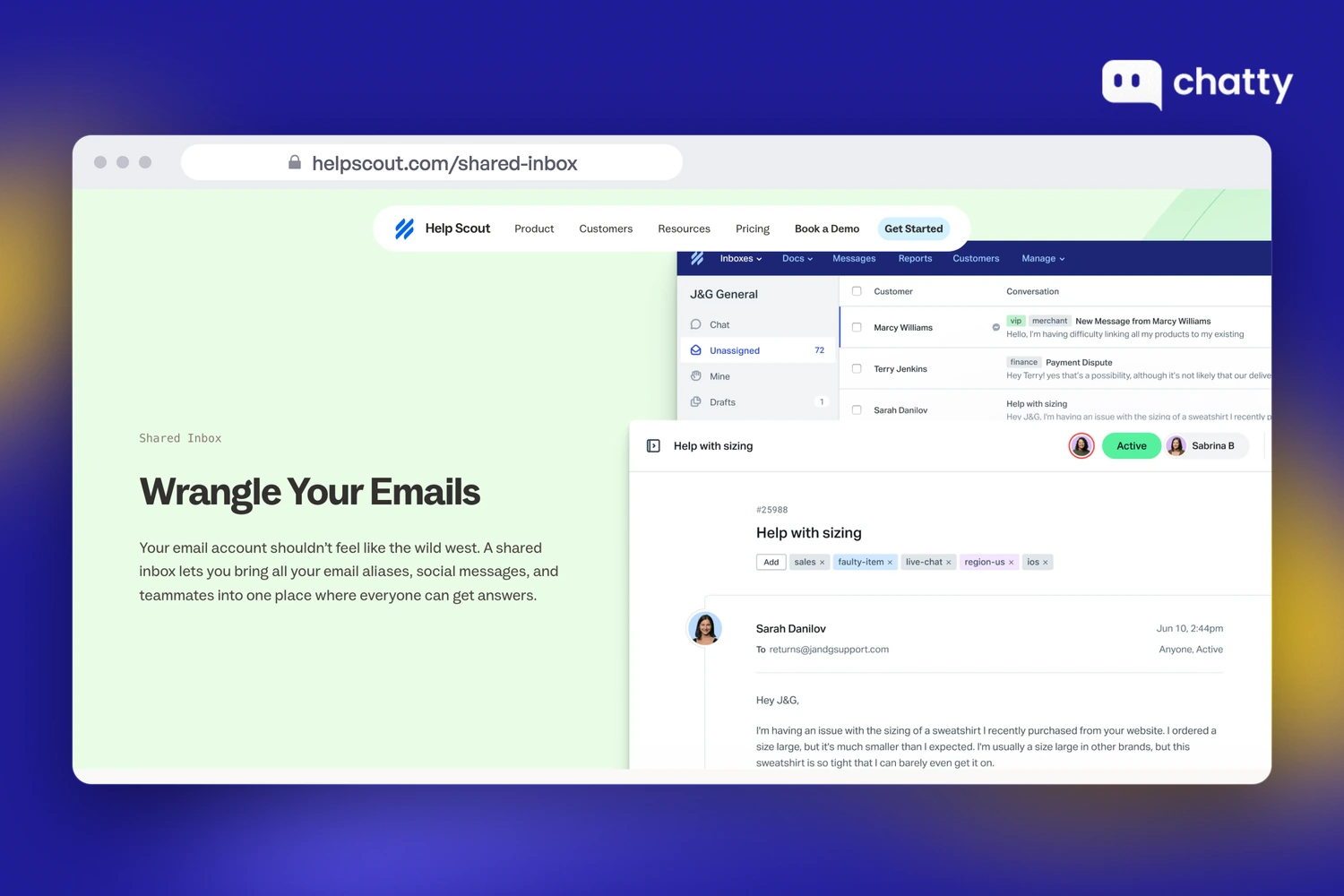
Help Scout describes its shared inbox as a way to bring "all your email aliases, social messages, and teammates into one place". The same page, read on 6 October 2026, also lists automatic assignment, labels and internal notes. That's a big step up from forwarding emails between personal accounts.
A shared inbox starts to strain when one request needs several steps. A return can touch a label, a carrier claim, a restock and a refund. In a shared inbox, that work sits in one long thread, and "is this done?" means reading to the bottom.
The stronger shared inboxes, Help Scout included, add statuses, tags and assignment to close that gap. That's why the line between a shared inbox and a light helpdesk is thinner than the names suggest. The difference that remains is the unit: a thread you read versus a request you track.
What is a helpdesk?
A helpdesk is software that turns every customer request into a ticket with a subject, an owner, a priority and a status. The team can then see what's open, what's waiting and what's resolved. "Ticketing system" usually means the same thing.
The ticket is the difference. It survives after the customer stops typing, and it can be assigned to one person. It can also wait in a "pending" or "snoozed" state without disappearing.
If you want the full anatomy of a ticket, read what a support ticket is. If you've also seen the term "service desk", that's a broader IT concept, explained in help desk vs service desk.
Large helpdesks add a layer of process on top of tickets. Zendesk, for example, offers SLA policies that set reply-time targets per priority. Its macros update a ticket and insert a reply in one click.
Teams with many agents and strict targets need that layer. A two-person Shopify store usually needs the ticket itself first.
What is the difference between a helpdesk and live chat?
Live chat is a channel built for speed, and a helpdesk is a system built for follow-through. Live chat measures success in seconds to first reply. A helpdesk measures it by whether the request got resolved, however long that takes.
The benchmarks Help Scout compiled show how far apart the two clocks are. For live chat, under one minute is best in class and about 1.5 minutes is acceptable (Tidio data, 2025). For email, one hour is best in class and 12 hours is acceptable (Timetoreply data, 2025).
That's a gap of nearly 500 times between the acceptable chat reply and the acceptable email reply. A team that runs both clocks from one chat window ends up rushing refunds or neglecting live shoppers.
The same split answers "live chat vs ticketing system". A ticketing system doesn't replace chat, because shoppers still expect a fast reply on your store. It catches what chat can't finish.
When should a live chat become a ticket?
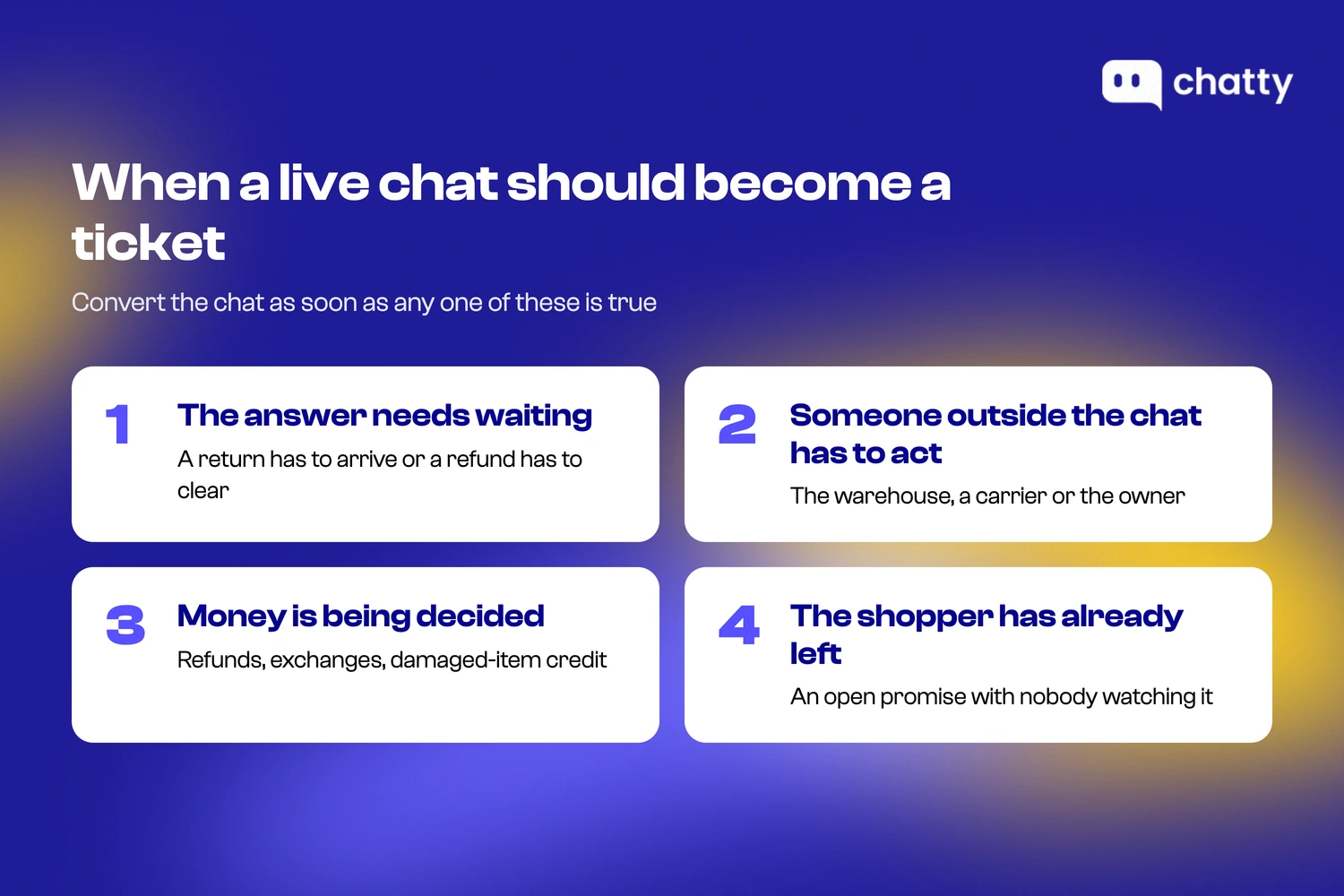
A live chat should become a ticket as soon as the outcome no longer depends only on the reply you are typing. Four signals tell you that moment has arrived.
- The answer needs waiting. A return has to arrive, a refund has to clear, a restock has to land. Nothing you type in the next five minutes finishes the job.
- The answer needs someone outside the chat. The warehouse has to check a parcel, a carrier has to open a claim, or the owner has to approve an exception.
- The answer involves a money decision. Refunds, partial refunds, exchanges outside policy and damaged-item compensation all need a record of who decided what.
- The shopper has already left. Once the window closes, a chat with an open promise is a ticket whether you created one or not. Creating it makes that visible.
Everything else can stay in chat. Sizing questions, shipping times, discount rules, order status lookups and product comparisons are settled in the conversation. Turning them into tickets just adds clicks.
On a Shopify store, these are the requests that usually cross the line:
- Refunds, returns and exchanges
- Damaged or wrong items
- Parcels marked delivered that never arrived
- Address changes after fulfilment
- Wholesale or bulk enquiries
Write that list down for your own store. It becomes your handoff rule, and it's the most useful thing you can give a new teammate.
Two habits keep the handoff clean. First, set a priority when you convert. A damaged item from a first-time buyer shouldn't sit behind a question about gift wrap.
Second, leave an internal note that says what you promised in the chat. Whoever picks up the ticket then won't need to ask the shopper to repeat themselves.
Our guide to ticket triage goes deeper on setting priority. For the daily routine once tickets exist, see how to manage customer support tickets on Shopify.
Do I need a helpdesk or live chat for my Shopify store?
Start with live chat, and add a helpdesk the first time a promise made in chat or email gets lost. For most stores that happens earlier than they expect, usually around the first busy sale or the first teammate.
Live chat plus a regular email inbox is enough while three things stay true:
- One person handles support.
- Nearly every request is settled in one reply.
- You can remember every open refund without looking.
At this stage, Shopify Inbox covers storefront chat. It's free on the Shopify App Store and includes an optional Inbox agent that replies automatically.
You need tickets once any of these show up:
- A shopper writes back to ask about a refund you said you would process.
- Two people answer the same email, or each assumes the other one did.
- You keep a spreadsheet or sticky notes of "things to check tomorrow".
- Returns and damaged-item claims take more than one message to close.
You need a large helpdesk with SLA policies, automation rules and reporting once support becomes a team. That usually means shifts, targets per priority and a manager who reviews performance. Zendesk, Freshdesk and Gorgias are built for that stage, and they do it well.
Most small and mid-sized Shopify stores sit in between. They need fast chat on the storefront and a light ticket layer behind it, ideally in one app instead of two.
How Chatty connects live chat and a helpdesk
Chatty runs chat and tickets in one app, so a conversation becomes a tracked ticket without any copying. Here's how the handoff works, step by step.
The chat starts with the AI agent or your team. Chatty's AI agent replies on your storefront first. When a shopper asks to talk to a person, the AI hands the conversation over to your team in the Chatty Inbox.
The shopper stays in the same chat window. Your teammate joins that same conversation in the Inbox instead of starting a new one.
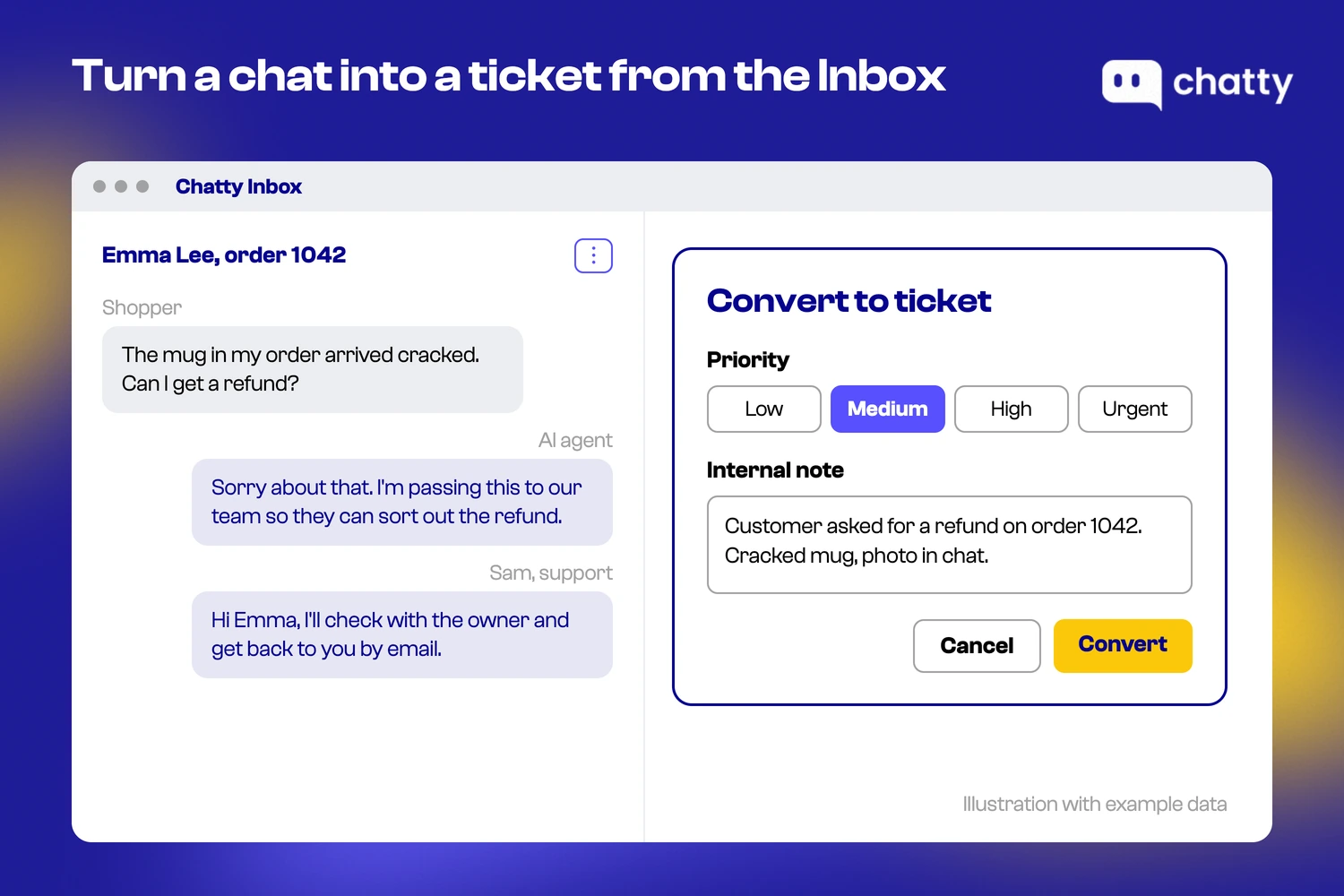
The teammate converts the chat into a ticket when it crosses the line. In the Inbox, the conversation menu has a Convert to ticket option. You pick a priority of Low, Medium, High or Urgent, and add an internal note if the team needs context.
Medium is preselected, and Urgent shows as Critical on the ticket. A note might read "Customer asked for a refund on order 1042."
After you click Convert, the Inbox shows that replies are now handled in Helpdesk. A reply written on the ticket still reaches the shopper.
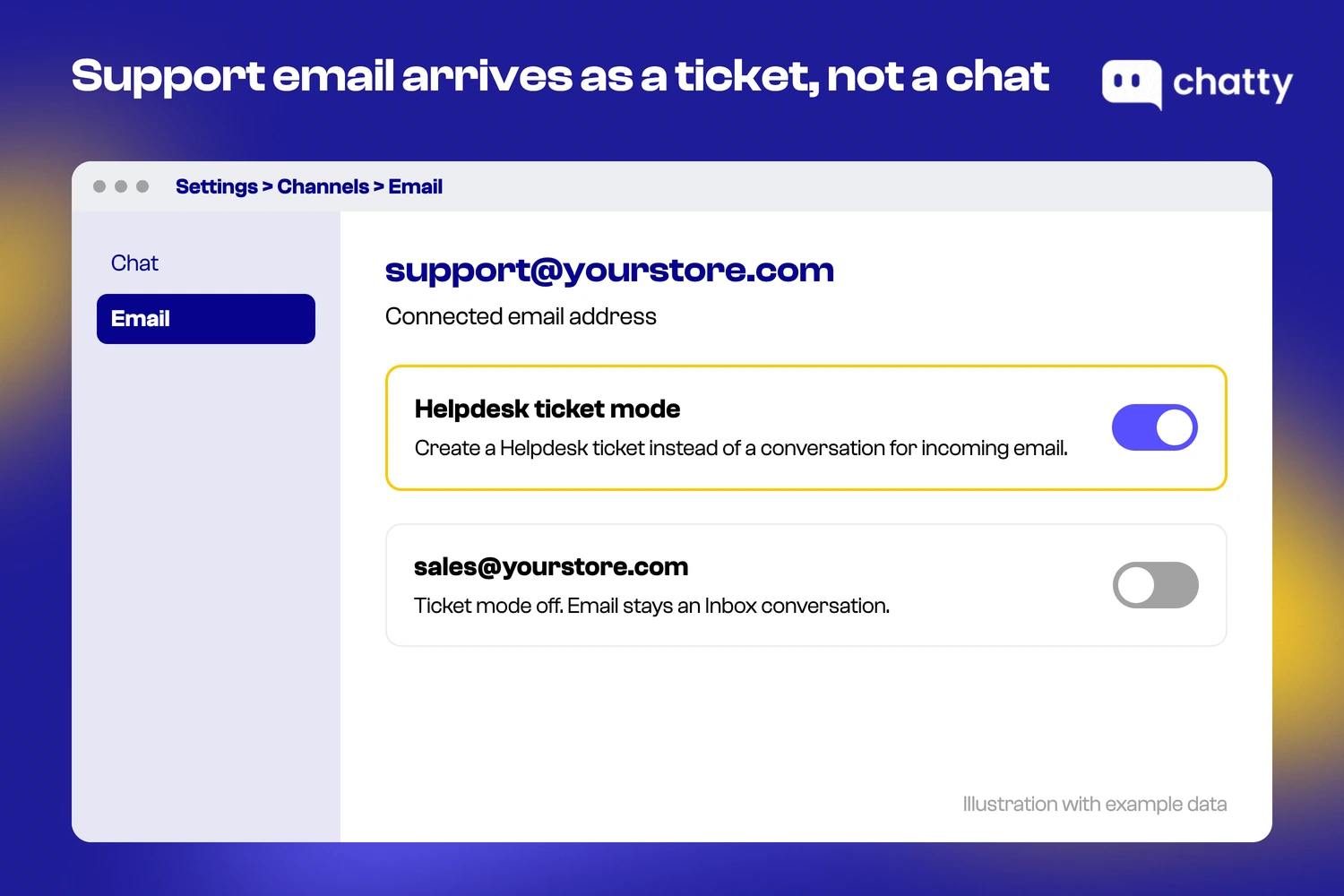
Support email goes straight into Helpdesk. Turn on Helpdesk ticket mode for a connected email address under Settings, Channels, Email. From then on, email to that address arrives as a ticket instead of an Inbox conversation.
You set it per address. A sales address can stay conversational while your support address becomes tickets.
The ticket carries the follow-through. Each ticket has a subject, the customer's email, a priority from Low to Critical and an assignee, or it stays Unassigned. Tickets move through Open, Pending, Snoozed and Resolved.
From a ticket, agents can reply, send and close, send and snooze, forward, or leave an internal note the customer never sees. Views for All, Assigned to me and Unassigned show who owns what. The Helpdesk guide walks through each screen.
Chatty Helpdesk is included on every plan, including Free, so trying the chat-to-ticket handoff costs nothing. Paid plans start at $19.99 a month and are priced by AI conversations, not by seat.
Chatty Helpdesk covers the ticket itself and not the process layer. It has no SLA policies, macros, automation rules or helpdesk reports yet. WhatsApp, Instagram and Messenger messages stay Inbox conversations instead of becoming tickets automatically.
Convert to ticket also works on desktop only, not in the phone app. If your team needs any of those, Zendesk or Gorgias is the better fit.
Shared inbox vs helpdesk: which one fits your store?
A shared inbox fits when most requests close in one or two emails, and a helpdesk fits when requests have stages. The question to ask is whether your team ever needs to know a request's state without reading its whole thread.
If the answer is rarely, a shared inbox with assignment and notes is enough, and it's simpler to run. If the answer is "every day during returns season", you need ticket features. That means statuses like Pending and Snoozed, a priority field, and one named owner per request.
Adding those to a shared inbox through labels and folders tends to break the first time someone forgets a label.
Shopify stores hit this point faster than most businesses, because so many requests depend on physical things moving.
A parcel has to arrive. A return has to come back. Each of those is a stage, and stages are what tickets are for.
Start with the handoff rule, not the software
Before you compare any more tools, write a short list of the requests that must become tickets in your store. Refunds, returns, damaged items and lost parcels are the usual start.
Then check one thing in each tool you consider. The test is how many clicks it takes to turn a live chat into a ticket with a priority and a note.
If that takes one step, inside the app your team already chats from, both clocks stay honest. Live chat stays fast for the shoppers who are still browsing. The ticket remembers the promises your team made after the chat window closed.
Frequently asked questions
Most Shopify stores need live chat first and a helpdesk soon after.
Live chat answers shoppers while they browse. A helpdesk tracks refunds, returns and other requests that take more than one reply. Add tickets the first time a promise made in chat or email gets forgotten.
Live chat is a real-time channel for questions settled in minutes. A helpdesk turns each request into a ticket with an owner, a priority and a status. That way, work that takes hours or days isn't lost when the chat window closes.
A shared inbox lets a team work from one email address, with assignment and internal notes. Each email thread is still the unit you manage, though. A helpdesk gives every request a status such as Open, Pending or Resolved, plus a priority and one owner.
No. Live chat is for fast, real-time replies on your store. A ticketing system tracks requests that need follow-up.
Many teams use both. They turn a chat into a ticket for a refund, a return, a damaged item or anything else chat can't finish.
Convert a chat when the outcome needs waiting, a refund decision or someone outside the chat, such as a warehouse. Convert it too when the shopper has already left. Set a priority and leave an internal note about what was promised.
Yes. Chatty includes live chat, an AI agent and a Helpdesk on every plan, including Free.
You can convert a chat into a ticket with a priority and an internal note. You can also turn incoming support email into tickets. The Free plan includes 50 AI conversations a month.
Not on its own. Shopify Inbox is a free chat app for your storefront. Shopify's help center describes it as a place to manage conversations with your staff and doesn't mention ticket priorities or statuses.
Stores that need ticket statuses and priorities usually add a helpdesk app alongside it. Others move to an app that combines chat and tickets.