






 Blog
 Free tools
 Help center





AI ROI for a Shopify store compares what an AI tool earns with what it costs. It is the gross profit on orders the tool helps sell, minus its full monthly cost, divided by that cost. Payroll the tool really cuts counts too, and a positive result means the tool returned more than it took.
Break-even orders turn that formula into a number you can check. The median Shopify store's average order value (AOV) is $111, across 450 stores from August 10 to November 7, 2026, in Littledata's benchmarks. At a 50% gross margin, an AI app that costs $192.99 a month, team time included, breaks even at 4 orders.
Start with the AI already in your Shopify plan, then pay only for tools whose orders clear break-even in your own admin.
- Break-even orders show whether AI pays off
Divide the full monthly cost by AOV times gross margin. At a $111 AOV and 50% margin, an AI app that costs $192.99 a month needs 4 orders to break even.
- Find your margin under Analytics > Reports
Filter the report category to Profit Margin in Shopify. Shopify reports profit only for products with a cost per item recorded when they sold, so fill in product costs first.
- Use the AI in your Shopify plan first
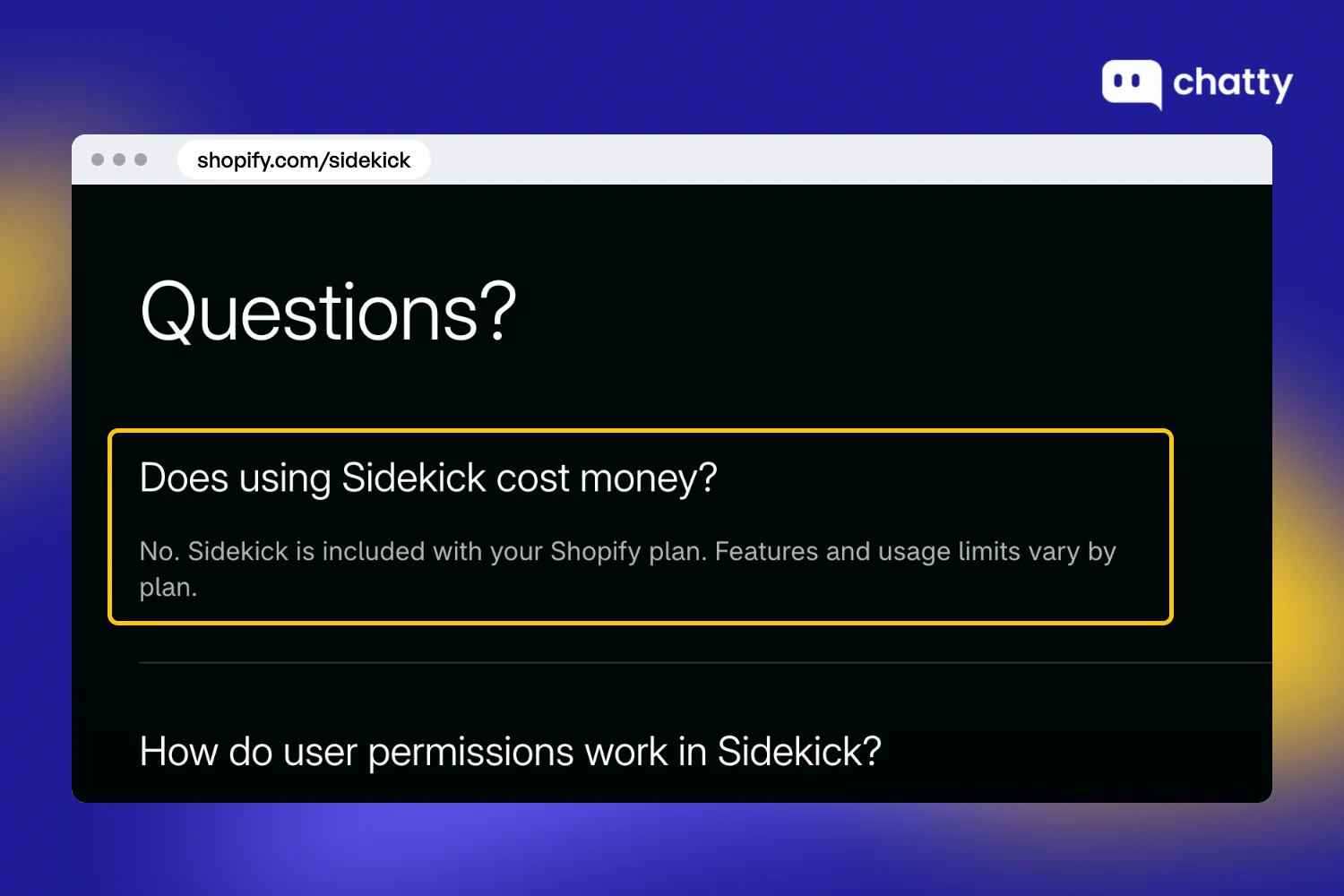
Sidekick is included with your Shopify plan and the Search & Discovery app is free. Try both before you pay for an app that does the same job.
- Cut AI tools that stay below break-even
If strict AI orders stay below break-even after the two to three months of testing we recommend, fix the setup once. Cancel the app if one more test window still falls short.
- Best for checking AI ROI on real orders: Chatty
Chatty, the AI sales agent for Shopify, marks every order it assisted on the Shopify order, so you can check its return. The Free plan includes 50 AI conversations a month.
What is AI ROI for a Shopify store?
AI ROI is the return an AI tool earns on what it costs you, measured over the same month. For a Shopify store, AI ROI (%) = (gain from AI - full monthly cost) / full monthly cost x 100. The gain is gross profit on extra orders, plus payroll the tool really cuts.
AI tools on a store return money in two ways, and only one of them shows up in your orders:
- Hours saved, from tools that write product descriptions, edit photos or draft emails, such as Sidekick and Shopify Magic.
- Extra orders, from tools that talk to shoppers or show them products: an AI sales agent, AI search, product recommendations and email AI.
So is AI ROI real for small businesses? In the 2025 Small Business Credit Survey of 6,525 US firms with 1 to 499 employees, 46% use AI (Federal Reserve survey). Among those users, 71% reported higher productivity and 31% reported higher sales, while the vast majority saw no change in labor costs.
Plan around that gap between productivity and money. Hours saved become money only when a cost goes away, and orders become money only after product cost comes out.
A store can measure both more easily than a large company. One app does one job, and its orders, prices and product costs already sit in Shopify admin. A single month gives you real numbers.
Two numbers carry the rest of this guide. AI ROI looks back at a month you already paid for, while break-even orders look forward, before you install anything.
How to calculate AI ROI
You calculate AI ROI from three inputs: the tool's full monthly cost, your average order value (AOV) and your gross margin. AOV times margin gives the gross profit on one order. Every formula below runs on that unit, and each part fixes a place where store math usually goes wrong:
The AI ROI formula, break-even orders and payback
Three formulas answer three questions: what the AI earned last month, how many orders it needs, and how fast it repays setup:
- AI ROI (%) = (gross profit from AI-assisted orders + real cost savings - full monthly cost) / full monthly cost x 100
- Break-even orders = full monthly cost / (average order value x gross margin)
- Payback (months) = one-time setup cost / monthly net benefit
Shopify's AI ROI guide uses the same frame: net benefit divided by total cost of ownership, times 100. Round break-even orders up, because half an order pays nothing. Break-even is also the one number you can work out before you install.
A worked example with real plan prices
A real plan price keeps the cost side of AI ROI honest, so this example starts from one. Chatty, the AI sales agent for Shopify, charges $68.99 a month for 500 AI conversations on Pro, per Chatty pricing.
Every other input is an assumption to replace with your own, so read the result as an example rather than a benchmark:
- Plan fee: $68.99 for 500 AI conversations.
- Overage: the store has 560 AI conversations this month, so 60 extra conversations at $0.40 per extra AI conversation add $24.
- Team time: 5 hours on chats the AI hands over and on reading its replies, at $20 an hour, adds $100.
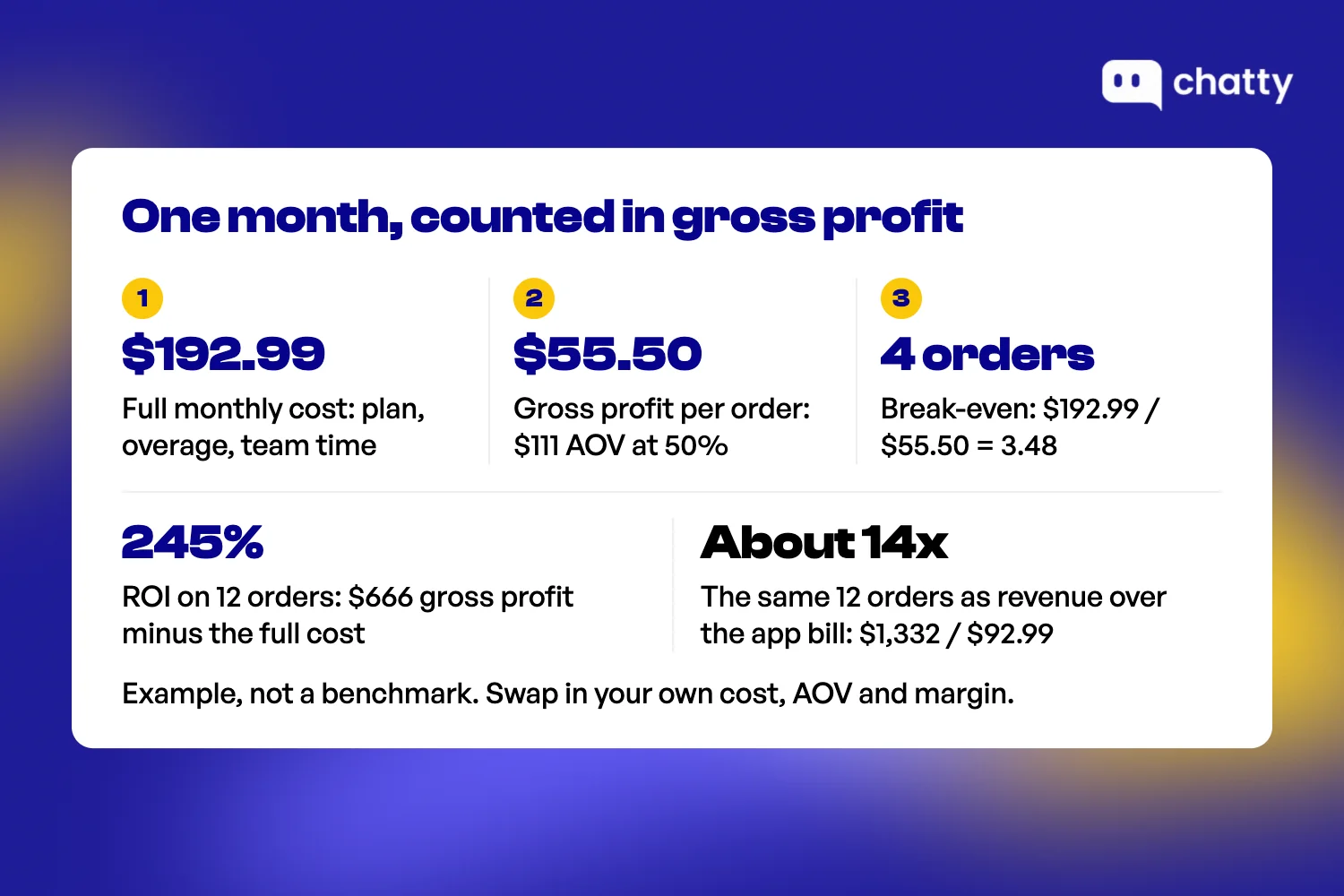
- Full monthly cost: $68.99 + $24 + $100 = $192.99, with no AI order tracking or live translation used.
- Gross profit per order: an AOV of $111 at a 50% margin leaves $55.50.
- Break-even: $192.99 / $55.50 = 3.48, so the store needs 4 orders.
- ROI: 12 orders with a product the AI recommended bring $666 in gross profit, and ($666 - $192.99) / $192.99 = 245%.
Payback is quick here. Setup of 7.5 hours at $20 costs $150, and $473 of monthly net benefit repays it in about 10 days.
Counting revenue instead gives a much bigger number. Divide the 12 orders' $1,332 by the $92.99 app bill, and you get about 14x. That figure skips product cost and team time, and it often runs on a vendor's average chat-to-sale rate instead of your store's baseline.
What costs to include in AI ROI
The full monthly cost of an AI tool is the plan fee plus costs no pricing page shows. Setup is paid once, so it belongs to payback rather than the month. Each line below comes from an invoice, your team's hours or a Shopify report:
| Cost | How to measure it | In the worked example |
|---|---|---|
| Plan fee | The app line on your monthly Shopify bill | $68.99 |
| Overage and metered add-ons | Extra units x the rate, in the unit the app counts: conversation, resolution, reply, email or credit | 60 x $0.40 = $24 |
| Setup and training the AI (one-time) | Hours loading your catalog, FAQs and policies x hourly cost | 7.5 hours x $20 = $150 |
| Team time on work the AI hands over | Handed-over chats x minutes per chat x hourly cost | Part of the 5 hours, $100 |
| Time reviewing AI output | Minutes checking AI descriptions, images and replies x hourly cost | Part of the same 5 hours |
| Margin lost to AI-only discount codes | Analytics > Reports > Sales by discount codes, filtered to the code | $0, no AI-only code |
Apps bill usage in different units, so convert every quote to one unit before you compare (see our guide to AI chatbot pricing). Team time and review time never reach an invoice, so ROI math built from invoices misses them and flatters the result.
What returns to count in AI ROI
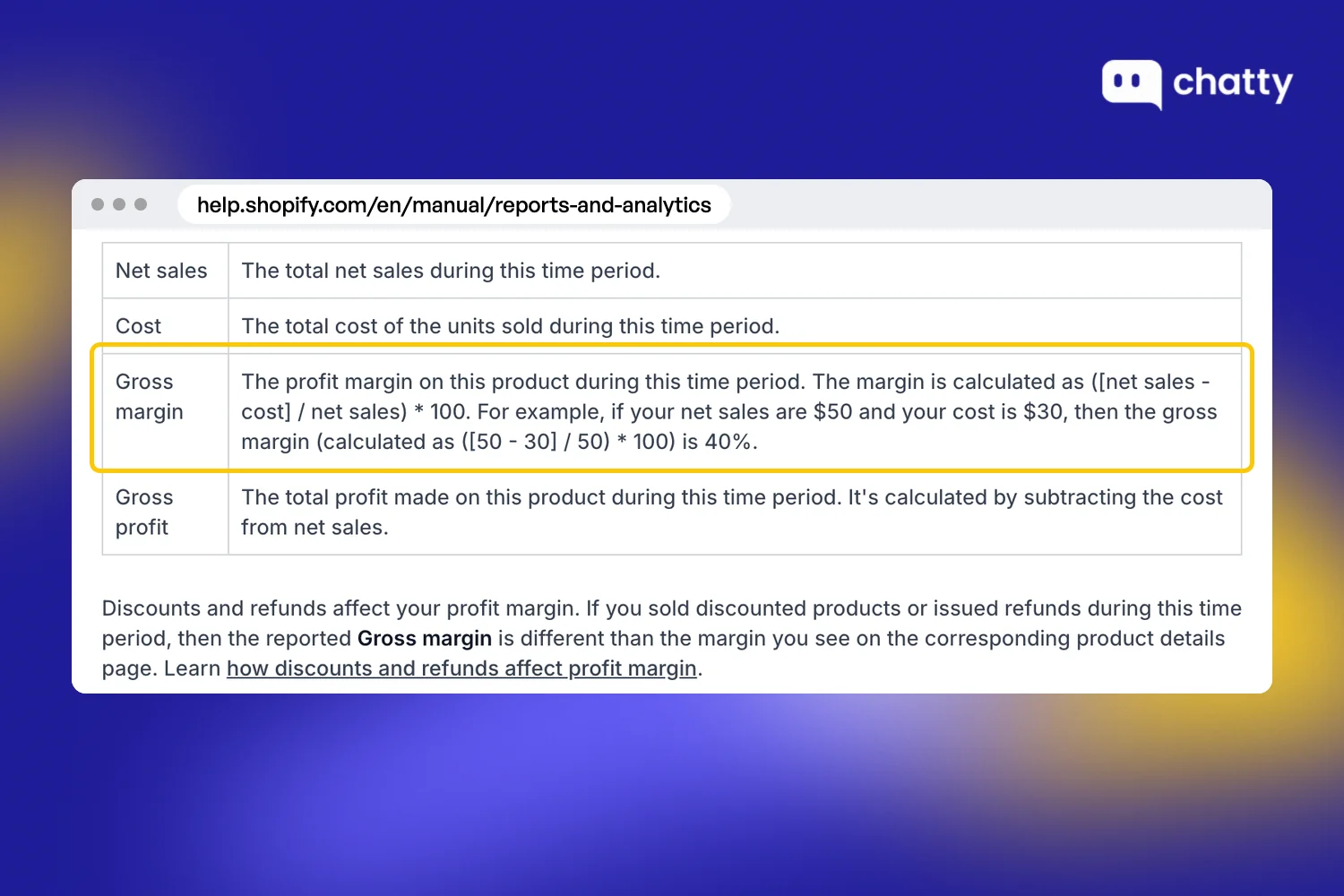
The return side of AI ROI counts gross profit on orders, rather than revenue. Shopify calculates gross margin as (net sales - cost) / net sales x 100, according to Shopify profit reports. It reports profit only for products that had a cost per item recorded when they sold.
Discounts pull that margin down fast. In Shopify's example, a 25% discount takes a $20 T-shirt that costs $10 from a 50% margin to 33%. Net sales already subtract discounts and refunds, so a margin from that report includes your returns.
Decide on the strict count of AI orders: orders with a product the AI showed or mentioned. Watch the broad count, any order placed within a set number of days after a chat, for the trend. Some strict orders would have happened anyway, and our lift test guide shows how to count what the AI added on top.
Hours saved count only when payroll drops: you cut a shift, buy fewer outsourced hours or skip a seasonal hire. Otherwise, record them on a separate line as hours freed. When payroll does drop, price them at 1.25x to 1.4x base salary, the fully loaded cost in Shopify's guide.
How to measure AI ROI in your Shopify admin
You measure AI ROI in Shopify with a baseline, the mark an AI app writes on each order, and a fixed test window. To measure revenue from AI chat, filter Orders by that mark and convert the revenue with your margin from Analytics > Reports.
Every step below works with the Shopify Analytics already in your admin, so you need no extra reporting app:
- Record a baseline of AOV, conversion rate and the team hours for the job the AI will take over. Shopify's AI ecommerce guide advises at least four weeks of baseline before you introduce AI.
- Pull AOV from Analytics > Reports, under Average order value over time. For margin, filter the category to Profit Margin and open Gross profit by product or Profit margin by order.
- Open Settings > Metafields and metaobjects > Orders, pick the app's field and turn on Filter on the order list and in the Admin API. Then use Orders > Add filter to list the orders the AI touched. Chatty, for example, writes Chatty Direct and Chatty Assisted onto each order it assisted.
- Compare against a control. Hold the AI back from part of your traffic, or compare two periods with the same traffic and promotions.
- Read the numbers on the same day each month. We recommend two to three months per tool before you keep or cut it, because one month mixes in promotions and slow weeks. A store with few orders needs longer, because "conversion lift is optional and hard to prove on small samples," as Appifire's guide puts it.
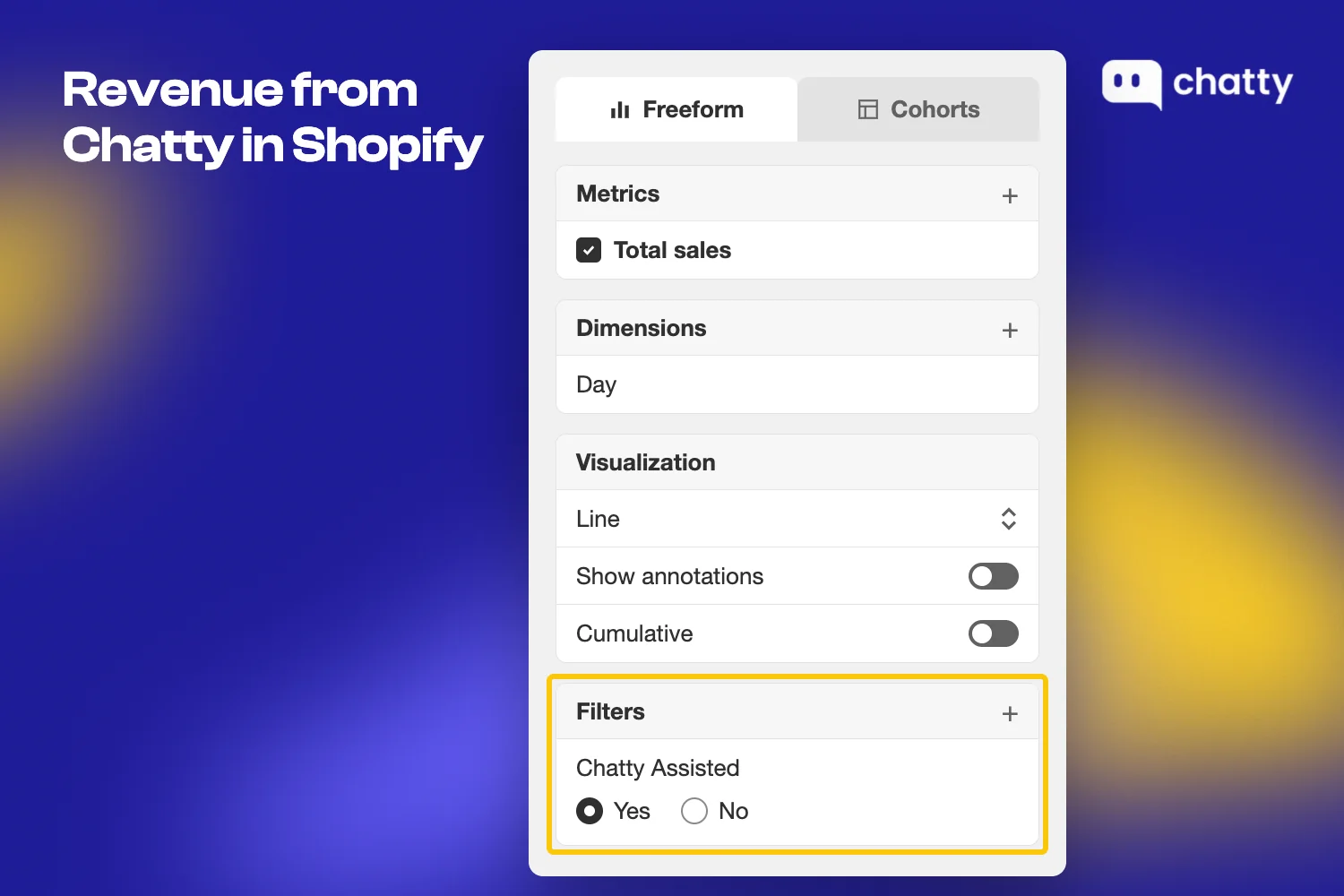
A Revenue from Chatty report in Shopify Analytics, filtered to Chatty Assisted, shows the broad count, so use it for the trend. The number that goes into the AI ROI formula is strict-count revenue times your margin.
Tools that write no mark on the order need their own discount code or a UTM link. Read a code's sales under Analytics > Reports > Sales by discount codes. Judge every tool at the end of its window, never in week one.
Which AI tools give the best ROI on a Shopify store?
The best AI ROI on a Shopify store comes from the tool that costs least for the job losing you the most money. Sidekick comes included with your Shopify plan, so start there. Then pay only where a tool touches orders and its break-even number looks reachable, in this order:
Start with the AI already in your Shopify plan
Sidekick is included with your Shopify plan, and its features and usage limits vary by plan, according to Shopify Sidekick. It writes product descriptions and emails, edits product photos and drafts weekly performance summaries. With no extra fee, its AI ROI depends only on the hours you spend reviewing its work.
Two more free Shopify tools reach shoppers directly. The Search & Discovery app adds AI search plus related and complementary product recommendations. Shopify Messaging sends 10,000 emails a month for free, then $1 per 1,000 (shopify.com/email-marketing, read 11 November 2026).
Use these tools for as long as they cover the job. When the job is one they cannot do, such as answering a shopper's question before the purchase, a paid tool has something to earn.
Match the AI tool to the job that loses you money
Each type of AI tool returns a different kind of value, so each needs its own number in Shopify. The table ranks nothing and maps each type to the number that proves it:
| AI tool type | Return | Number to check in Shopify | Common billing unit |
|---|---|---|---|
| AI sales agent or AI chat | Extra orders | Orders the app marks, at gross profit | Per conversation, resolution or reply, over a plan allowance |
| AI search | Extra orders | Conversion of sessions that use search | Free in Search & Discovery, or plans by searches or products |
| AI product recommendations | Higher AOV | AOV, orders with a recommended product | Free in Search & Discovery, or a monthly plan |
| Email and marketing AI | Repeat orders | Performance by marketing campaign | Per email sent or per contact |
| AI content and images | Hours saved | Team hours, counted only if payroll drops | Included with your Shopify plan, or credits |
| AI in ads | Lower cost per order | Ad spend / orders from that channel | Your ad spend |
Pick the row by where your store loses money today. If shoppers leave with a question nobody answers, start with an AI sales agent. If AOV is the weak number, add recommendations first, and see our roundup of AI tools for Shopify for apps in each row.
Is an AI sales agent worth it for a small Shopify store?
An AI sales agent is worth it for a small Shopify store when its strict monthly orders beat your break-even number. At the $111 median AOV (Littledata), a full cost of $25 to $200 a month breaks even at 1 to 7 orders.
Your margin decides where you land in that range. The table holds AOV at $111 and rounds each result up to a whole order:
| Gross margin | $25 a month | $75 a month | $200 a month |
|---|---|---|---|
| 30% | 1 order | 3 orders | 7 orders |
| 50% | 1 order | 2 orders | 4 orders |
| 70% | 1 order | 1 order | 3 orders |
Treat the costs and margins as your own inputs rather than benchmarks. A lower AOV pushes every cell up, and the worked example's $192.99 month reads close to the $200 column.
A small store should hold off on paying for an AI sales agent when any of these is true:
- Traffic is still uneven, so one month of orders tells you little.
- Most chats are about orders already placed, so the value sits in support hours.
- Your margin and your AOV are both low, which pushes break-even orders up.
- Nobody on your team will read the AI's replies during the first week.
Questions to ask an AI vendor before you pay
Ask these of every AI tool you consider, Chatty included. Each one comes with the answer you want to hear:
- What unit do you bill, and what does overage cost? You want one unit and one price, printed on the pricing page.
- Can I set a monthly spending limit, and what happens when I hit it? The answer to look for is that you set it and the AI pauses instead of billing more.
- Which orders do you count? A vendor should name the event and the number of days.
- Do you report a strict count apart from the broad one? Ask to see both as separate numbers.
- Where does the mark sit on my Shopify order? It should be a metafield or tag you can filter in Orders.
- Can I test on my own store's data? A free plan or a trial on your live store beats a demo on someone else's catalog.
Chatty for questions shoppers ask before they buy
Shoppers who ask a question before buying and get no reply leave the page. Our merchant data from Q3 2026, across 1,763 stores with 50+ messages, shows that 46% of questions are about what to buy. More than half of conversations start outside business hours, when nobody on your team is there to answer.
Chatty, the AI sales agent for Shopify, answers those questions from your store's Shopify data: products, prices, stock, discounts and shipping. Chatty recommends products, adds them to the real Shopify cart and marks every order it assisted, so you can check the return.
Each feature below feeds one side of the AI ROI formula, either more strict orders or a capped cost:
- AI Mode puts Chatty in the search bar, on product pages, in chat and at the cart.
- Product cards with Add to cart turn a question into a cart.
- Chatty Direct and Chatty Assisted on each order give the strict and broad counts.
- A monthly spending limit caps extra AI conversations.
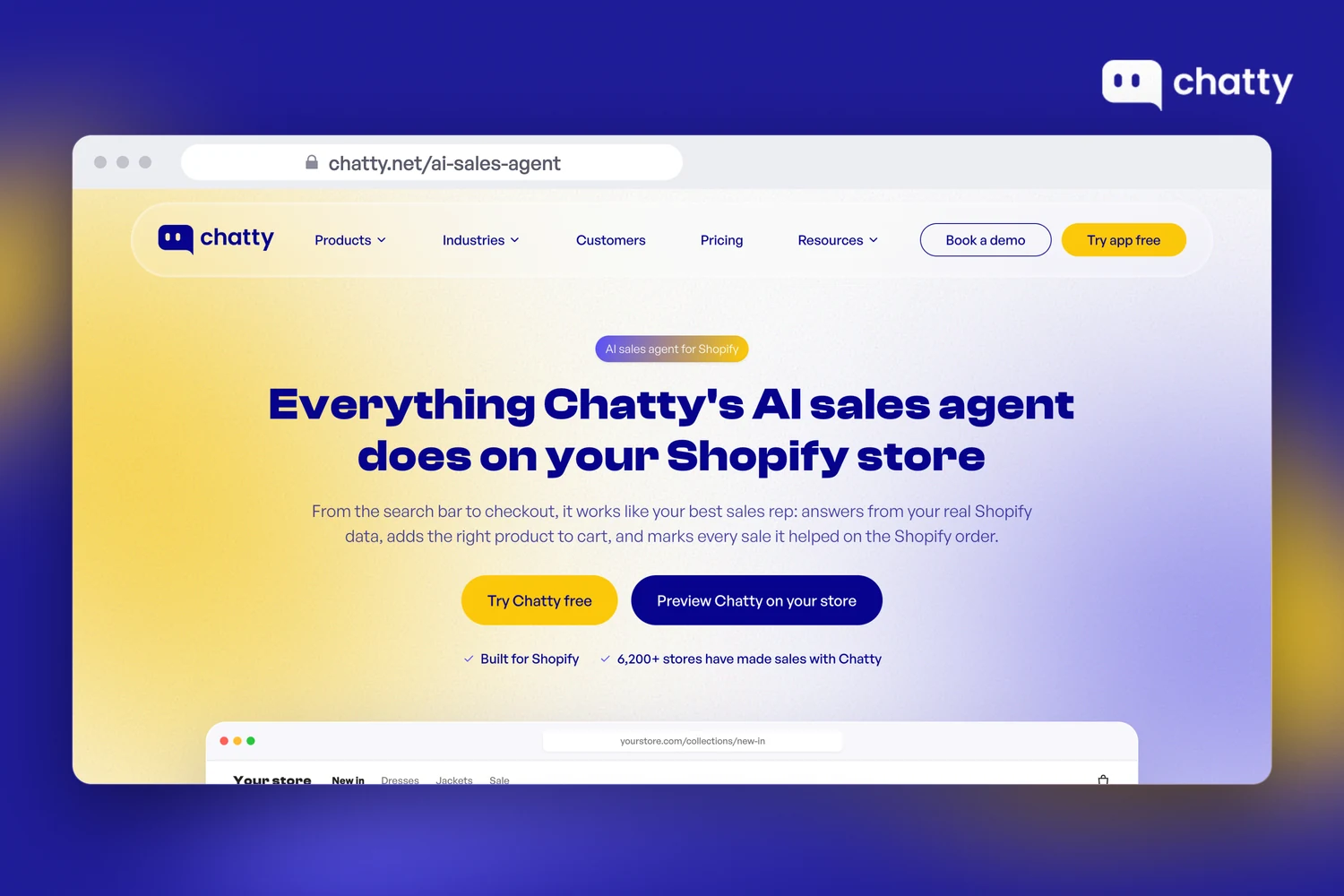
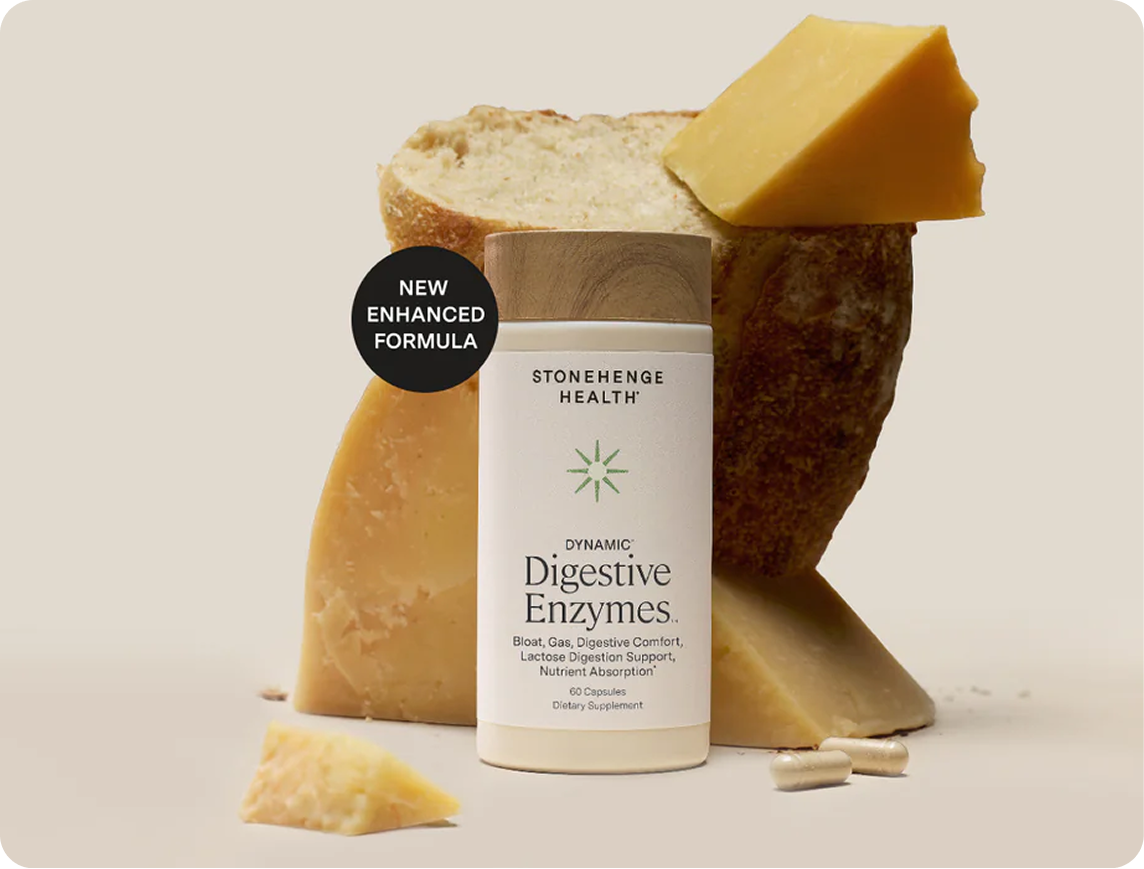
Over 7 months, Stonehenge Health made $75K in assisted revenue across 599 orders with Chatty (Stonehenge Health case study). In that period, 11.36% of conversations ended in a sale, and that revenue still needs your margin applied before it meets cost.
Price: Free covers 50 AI conversations a month, Basic $19.99 covers 100, Pro $68.99 covers 500 and Plus $199 covers 1,000. Paid plans add $0.40 per extra AI conversation, up to the monthly limit you set.
Chatty fits stores with steady traffic and shoppers who ask before they buy. A store still building traffic should start with Shopify's free tools.
How to maximize AI ROI on Shopify
You maximize AI ROI on Shopify by raising gross profit from AI orders or lowering the full monthly cost. Those are the two sides of the formula, and each of the four jobs below moves one of them without a new tool:
Clean up your product data first
AI search, product recommendations and an AI sales agent all read your catalog, and so do AI shopping assistants outside your store. A product the AI cannot describe is a product it cannot recommend, so missing details cap the orders side of AI ROI.
Give each product a category in Shopify admin, then fill the category metafields that come with it, such as size, fabric and color. Put measurements and care details in descriptions, and keep shipping and return policies current. Start with your top sellers from Analytics > Reports > Total sales by product, because more of the AI's chances to sell pass through them.
Teach the AI your rules, then read its answers every week
Load your shipping, returns and discount rules before launch, then read a sample of the AI's replies every week for the first month. Focus on price, size, stock and delivery times, because a wrong reply on those turns an order into a return. When a reply is wrong, fix the source (the product page, policy or FAQ), so every later reply improves.
A good score still leaves replies to catch, which is why the weekly read stays. In October 2026, 92% of answers were right on price, stock and details when we compared 300 real Chatty answers with each store's website.
Put AI where shoppers decide
Place AI where shoppers choose or leave: product pages, the search bar, the cart and the landing pages your paid traffic reaches. Check which pages get that traffic in Analytics > Reports > Sessions by landing page, and start there.
Judge each placement by the strict orders it brings, rather than by how many conversations it starts. Apps that record where the cart started help here, such as the Chatty Origin field that shows which Chatty surface built the cart.
Cap spend and cut what does not pay back
Set a monthly spending limit in any AI app that bills by usage, sized to the overage you can afford. In the worked example, a $24 limit covers the 60 extra conversations. The limit caps the app bill only, because team time still grows with chat volume.
When a test window ends and strict orders have not cleared break-even, fix the setup once: product data, placement and rules. Run one more window, and cut the tool if it still falls short, because every month below break-even comes straight out of gross profit.
Make every AI tool on your store earn its AI ROI
AI ROI on a Shopify store comes down to gross profit against full cost. In our worked example, a $192.99 month at a $111 AOV and 50% margin needed 4 orders, and 12 orders returned 245%. Use the AI in your Shopify plan first, and pay only for tools you can tie to orders in your admin.
Do one thing today: divide each AI app's full monthly cost by your AOV times your margin from Analytics > Reports.
To test that bar on pre-purchase questions, start Chatty on the Free plan, which includes 50 AI conversations a month. Scale its Chatty Direct orders to the conversations you expect, then compare them with break-even for the plan you would keep.
Frequently asked questions
Any AI ROI above 0% is good when you calculate it on gross profit after the full monthly cost. No reliable benchmark exists for Shopify stores, so judge the result against your own break-even orders. In our worked example, 12 orders on a $192.99 month returned 245%.
Yes, if it was calculated on gross profit after the full monthly cost, because every $1 you spent came back as $1.37. Check the method first. A 37% figure built on revenue can hide a loss once product cost and team time come out.
We recommend a test window of two to three months per tool, after a four-week baseline. Enterprise AI takes longer, at two to four years in Deloitte's survey of 1,854 senior executives in Europe and the Middle East. Only 6% of them saw payback within a year.
Count support savings only when payroll drops: you cut a shift, buy fewer outsourced hours or skip a seasonal hire. Otherwise, list the freed hours on a separate line. Our chatbot analytics guide covers those support metrics, while orders stay the main return.
Filter your Shopify orders by the mark your AI chat app writes on each order. Use the strict count, orders with a product the chat showed, and multiply that revenue by your gross margin from Analytics > Reports. That figure goes into AI ROI.
Yes, if the app has a monthly spending limit. Chatty charges $0.40 per extra AI conversation on paid plans, and you set a limit from $1 to $1,000. At the limit, the AI pauses until the next billing cycle, Chatty emails you and your team keeps replying.
Yes, an enterprise divides net benefit by total cost of ownership, which covers licenses, implementation, labor and governance. Shopify's guide shows $100,000 of gains on $35,000 of spend as 185.7%. A store measures gross profit on AI orders against one app's monthly cost.