









Most BFCM guides are revenue guides with a customer experience section bolted on somewhere in the middle. This one is organized the other way around: five stages, the same five your customers actually walk through, and one clear action per stage instead of a tips list to sort through under pressure.
This is the hub for a 12-part series on BFCM 2026 customer experience. If you've read the first article on the agentic CX journey, this guide is where that framework turns into a checklist. If you haven't, you don't need to before reading this one.
- Five stages, one action each
Discovery, consideration/trust, purchase, support, and post-BFCM, each with a single highest-impact fix instead of a long list.
- Support decides the season
It's the stage where BFCM's volume spike turns small gaps into lost customers fastest, and where most competing guides say the least.
- Discovery now depends on data hygiene, not more marketing
Whether an AI agent can find and recommend you comes down to structured, accurate product data.
- Purchase is still yours to control
Checkout hasn't moved to AI yet, so this is the one stage where the fix is simply: test it and remove friction.
- A BFCM customer isn't automatically a repeat one
What happens in the two weeks after determines whether the sale was worth acquiring.
What "improving customer experience for BFCM" actually means
It means finding and fixing the specific point in your customer's journey, discovery, consideration and trust, purchase, support, or post-BFCM, where a small gap is about to cost you a sale. Not a general push to "be more customer-centric," a specific fix at a specific stage.
Contact volumes during Black Friday and Cyber Monday typically run double normal levels, with peaks of three to five times, according to Concentrix, which measures contact-centre demand across phone, email and chat combined. On-site chat alone moves less: Chatty's conversation data across more than 2,000 Shopify stores puts Black Friday 44% above baseline and Cyber Monday 36% (Nov 24 to Dec 1, 2025). Either way a gap that's minor in October turns into a real problem come November. A support answer that's slightly inconsistent, a return policy that's slightly unclear, a checkout that's slightly slow: none of these lose you much business on a quiet Tuesday. At BFCM volume, each one adds up across thousands of interactions in a matter of days.
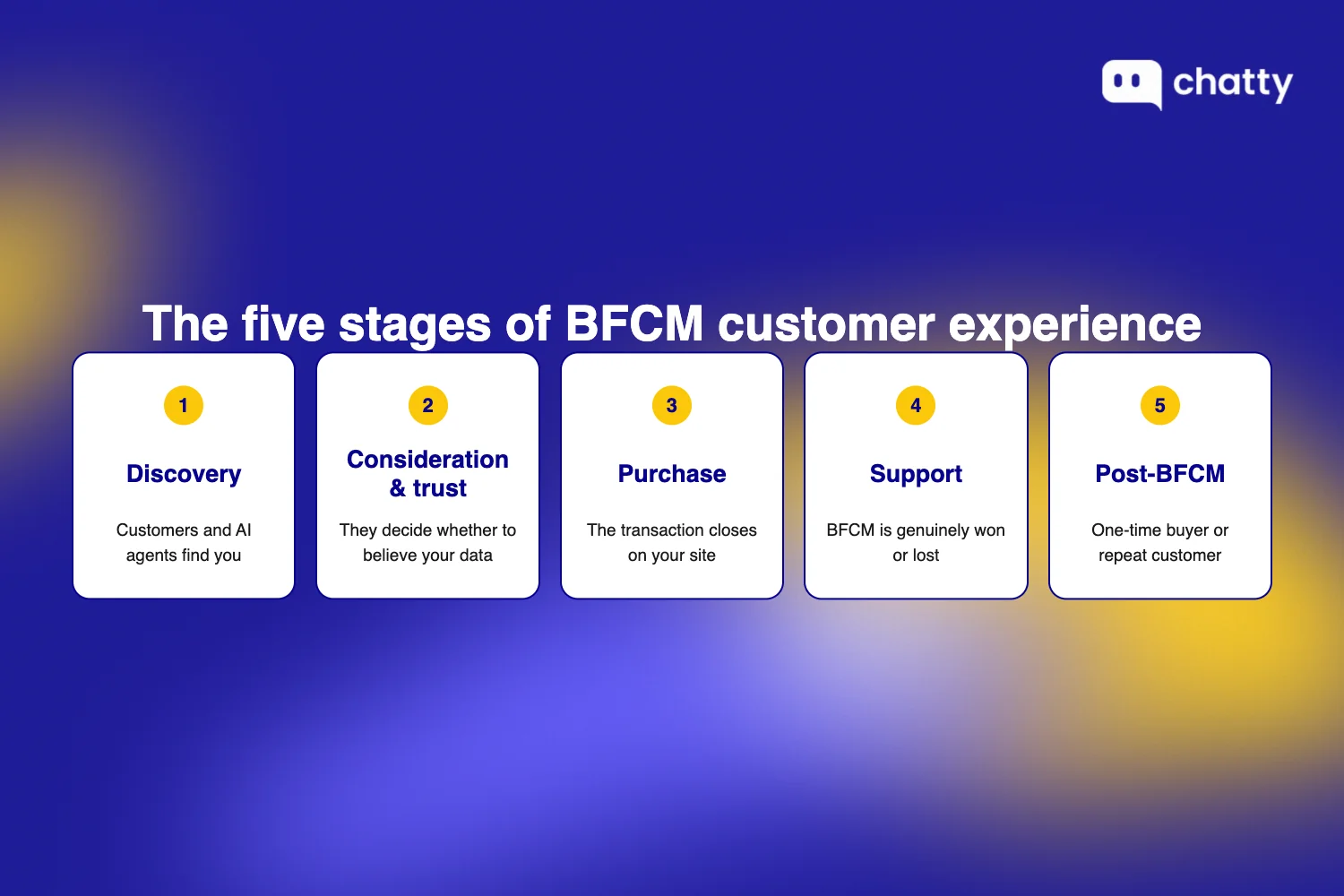
This guide covers five stages, each with the single highest-impact action plus where to go for the deeper implementation guide in this series:
- Discovery: where customers and AI agents first find you.
- Consideration and trust: where they decide whether to believe your data.
- Purchase: where the transaction actually closes.
- Support: where BFCM is genuinely won or lost.
- Post-BFCM: where a one-time buyer either becomes a repeat customer or doesn't.
Discovery: make sure AI agents and customers can actually find you
Discovery in 2026 runs through two channels at once: a customer typing a search themselves, and a customer describing what they want to an AI agent that narrows the field for them. Both depend on the same thing underneath: whether your top products have clean, specific, structured data behind them. That's the shift the first article in this series covers in more depth. Here, it turns into three checkable actions, scoped to your best sellers only. Fixing your entire catalog before BFCM isn't realistic, and it isn't necessary.
1. Rewrite your top listings in plain, specific language
Why it matters: A listing like "Comfortable running shoes" gives an AI agent nothing to work with. "Lightweight running shoes with breathable mesh upper and 10mm heel drop, for daily 5-10K training" gives it a use case, a spec, and a customer type to match against. Thin listings are invisible to AI agents for the same reason they're invisible to Google: there's no specific signal to rank or recommend on.
What to do:
- Pull your 10 best-selling products for the last 90 days
- For each, check the title and description for specificity, not just length
- Rewrite any vague ones to name a use case, a spec, and a customer type in one sentence
2. Confirm your structured data is actually there
Why it matters: An AI agent can only recommend a product it can verify. Missing or stale price, availability, or review fields make an otherwise well-written listing invisible to the same systems the first fix was meant to reach.
What to do:
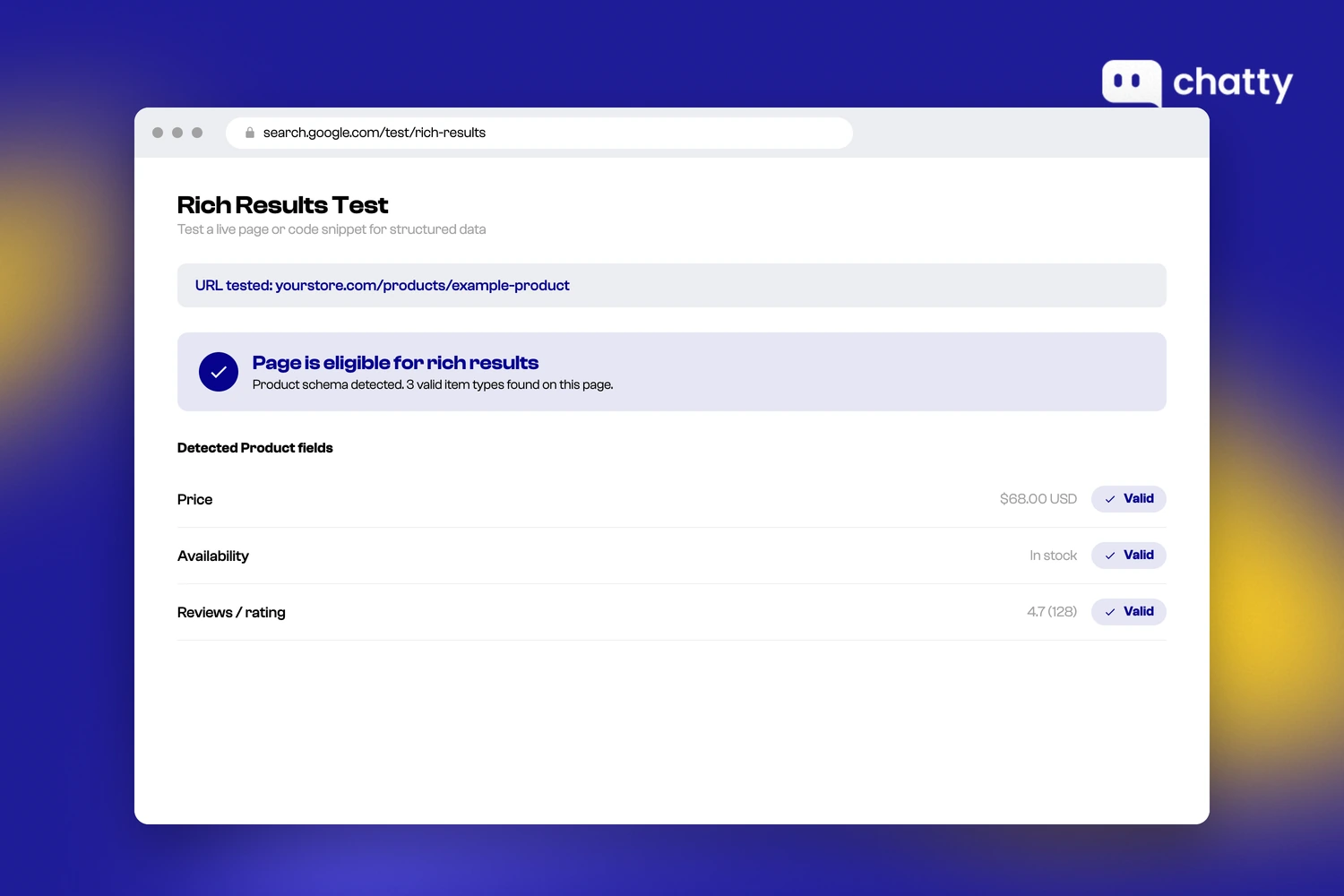
- Take the same 10 products and paste each URL into Google's Rich Results Test
- Check that price, availability, and review fields all come back present and accurate
- Fix any missing or stale field, most themes already support these fields, so this is usually an update, not a redesign
3. Test whether AI agents can actually find you
Why it matters: The first two fixes are only worth confirming if you can also see whether they're working right now, not as a hypothetical to defer until next season.
What to do:
- Pick one top product and search for it by name plus a generic descriptor (for example, "wireless earbuds waterproof") in ChatGPT or Perplexity
- Check whether your store surfaces in the results
- If it doesn't, treat that as a live signal the first two fixes on this list need to happen before BFCM, not after
Consideration and trust: give customers a reason to choose you over the next tab
Trust now works in two layers. A customer trusts their own AI agent's judgment about what's worth considering, and that agent has to trust your store's own data to recommend you at all. Both layers depend on the same fundamentals: a return policy that's actually clear, and stock information that's actually accurate.
4. Rewrite your return policy so it can't be misread
Why it matters: Legal-sounding hedges read as ambiguous to a human and unparseable to an AI agent trying to extract a clear answer. Writing the policy in plain terms on the page is what an outside AI agent reads. Chatty works on the other side of that line, answering these policy and stock questions from your own store data once the shopper is already on your site.
What to do:
- Rewrite your return policy to under 100 words
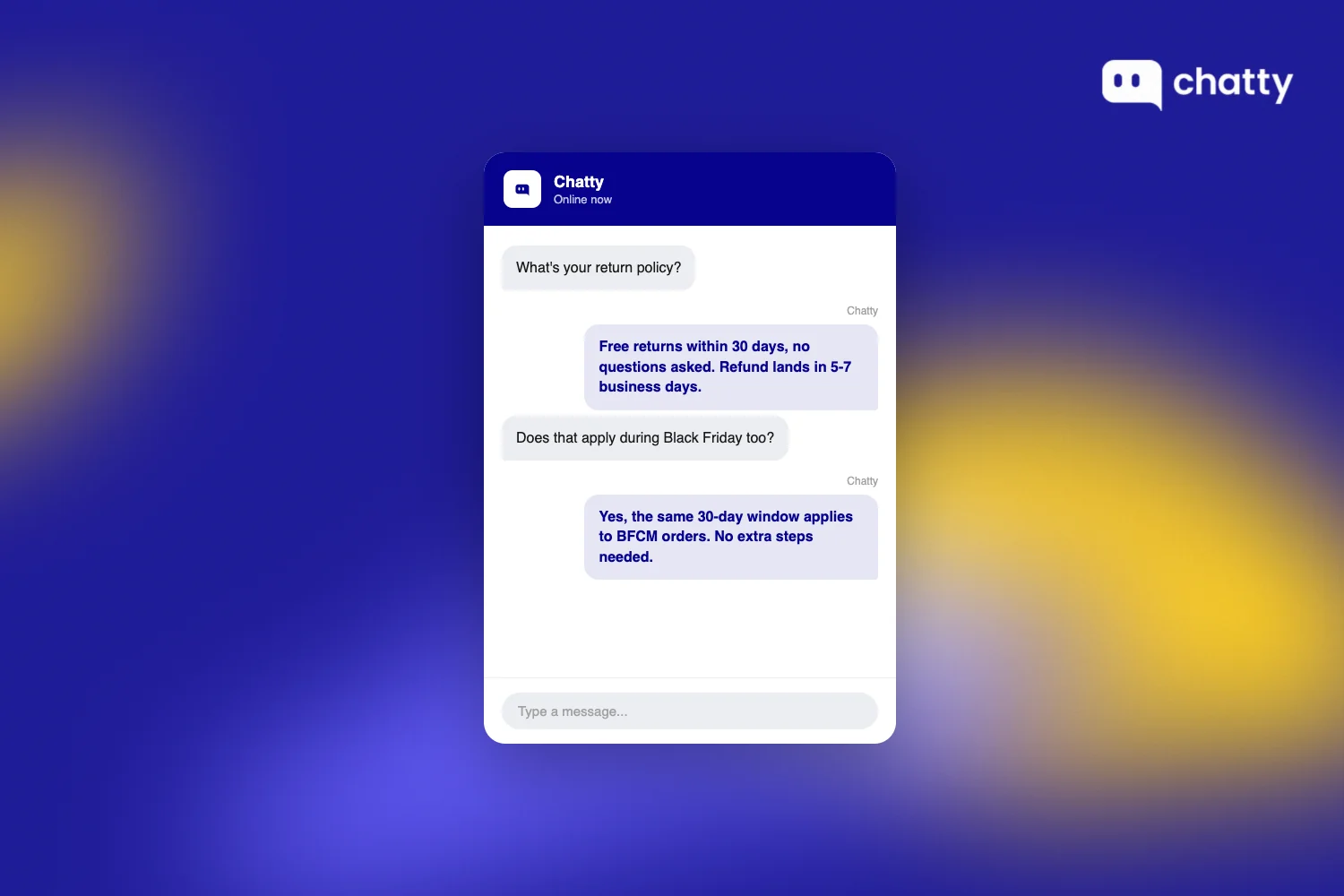
- State the window and refund timeline in plain terms, for example: "Free returns within 30 days, no questions asked. Refund lands in 5-7 business days"
- Link it directly from every product page, not just buried in a footer
5. Replace vague stock labels with real numbers or dates
Why it matters: An AI agent can only be as trustworthy as the store data feeding it, and a vague stock label is exactly the kind of thin data that breaks that trust before a human ever sees the product page.
What to do:
- Find every product page still showing "in stock" or "low stock" with no number or date attached
- Replace it with something a rushed shopper can act on, for example: "Only 4 left" or "Order by Dec 18 for guaranteed BFCM delivery"
6. Test it before a customer has to
Why it matters: If someone outside your team can't find the answer fast, neither can an AI agent parsing your page, and neither can a shopper comparing five stores at once during peak BFCM traffic.
What to do:
- Ask someone who's never seen your site's backend to find your return window and shipping cutoff
- Time it, the bar is under 15 seconds
- If they can't do it that fast, that page needs the same fix as the two above
Personalization is the next move once fundamentals are solid
Once policy and stock data are solid, personalization is where the next real gain sits, and it's a different problem from the fundamentals above. A generic "50% off everything" blast treats every visitor the same. A relevant, context-aware offer doesn't. This guide's article on personalizing the BFCM shopping experience, and its readiness-playbook companion, cover that upgrade layer in full. Fundamentals first, though: personalization on top of an unclear return policy just means more people find the unclear policy faster.
Purchase: keep checkout simple, because this is still the stage you fully control
Checkout hasn't moved to AI. An agent can research and recommend, but the customer still approves the purchase and pays, and the transaction still closes on your own site. That means this is the one stage in the whole journey where the fix is entirely within your control, and entirely about removing friction, not chasing a new capability.

7. Buy something from your own store on mobile
Why it matters: Every step past three is a place a BFCM-volume shopper, moving fast and comparing options, is likely to drop off. This series covers the deeper playbook on cart abandonment separately; this test just tells you whether you have a problem to send someone there for.
What to do:
- Complete a real purchase, start to finish, on your own phone
- Count the number of steps it took from product page to confirmation
- Treat anything past three steps as a friction point to fix before BFCM
8. Confirm guest checkout is actually on
Why it matters: Forcing account creation before purchase is one of the most common causes of abandonment at peak traffic, and it's easy to assume the setting is still on from last year without checking.
What to do:
- Open your checkout settings directly, rather than trusting memory
- Confirm guest checkout is enabled
- If it's off, turn it on and re-test a purchase to confirm the change took effect
9. Load your checkout on a throttled connection
Why it matters: BFCM traffic spikes slow every store's servers to some degree, so it's better to find that slowdown on a throttled connection before it happens live, not while a real customer is stuck waiting on a spinning cart page.
What to do:
- Open Chrome DevTools and switch network throttling to "Slow 4G"
- Load your checkout page and time how long it takes to become usable
- If it's slow enough to notice, flag it to whoever owns your hosting or theme performance before BFCM traffic hits
Support: the stage where BFCM 2026 actually gets decided
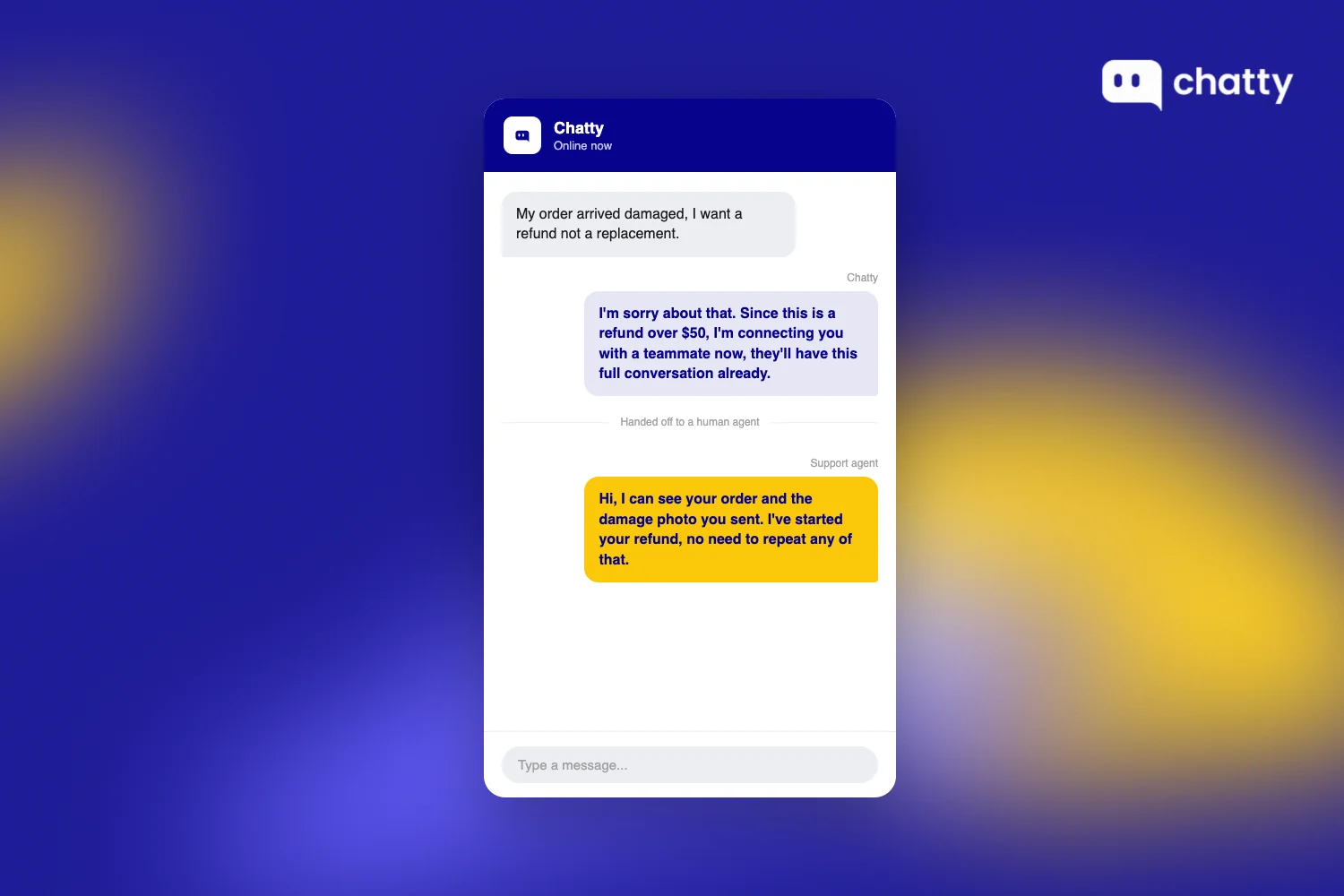
Support is where BFCM gets decided, because it's the stage where volume multiplies the cost of every other gap. The single most common breakdown point isn't AI quality, it's the handoff from AI to a human when a conversation needs one, and BFCM's volume spike leaves no slack to recover from a broken handoff once it happens.
10. Write down your top 10 support questions and one answer for each
Why it matters: Several slightly different versions scattered across email templates and macros is how a customer gets two different answers to the same question during the exact week that's least forgiving of it. Chatty lets you configure exactly when a conversation transfers to a human, either always or on conditions you set, so the handoff fires on your triggers rather than on the AI's own judgment.
What to do:
- Pull your top 10 support questions from last BFCM, or from last quarter if this is your first one, covering shipping cutoffs, return windows, and sale-specific FAQs
- Write exactly one answer per question
- Put all 10 in one place your whole team, and your AI agent, can find
11. Make sure AI and your team give the same answer
Why it matters: A split answer, not a wrong one, is what actually erodes trust when volume spikes. Customers rarely notice a single mistake. They notice being told two different things by the same store.
What to do:
- Take your top 3 support questions from the list above
- Ask your AI agent and a human teammate each one, side by side
- Flag and fix any question where the two answers don't match
12. Define exactly when AI should hand off to a human
Why it matters: Leaving this undefined is the most common breakdown in AI-assisted support. It doesn't count as a policy until it's written down and the team actually follows it.
What to do:
- Write down specific handoff triggers: order disputes, any message mentioning a refund over a set amount, an angry or repeated message
- Share the trigger list with whoever, or whatever, handles the first response
- Confirm the AI agent actually hands off on those triggers, don't assume it does
Where to go deeper on support, staffing, returns, and crisis planning
Five other articles in this series go deeper on specific support gaps, so pick the one that matches where you're weakest instead of reading all five:
- Not sure your team can handle BFCM volume at all? Start with getting your existing support coverage ready, which walks through the capacity and process checks above in more depth.
- Deciding between hiring seasonal staff and scaling support with AI? Costing the two lanes against your actual ticket mix beats a blanket recommendation either way.
- Returns eating into your margin more than they should? Cutting BFCM return volume and cost covers how to do it without making the return experience itself worse.
- Worried about a shipping delay, a stockout, or a support breakdown showing up on social media? Responding to a live incident before it spreads is its own playbook.
- Haven't built a week-by-week prep timeline yet? The 8-week BFCM prep timeline maps the whole season out so support prep doesn't get compressed into the final few days.
Post-BFCM: what happens after determines if this was worth it
A BFCM customer is not automatically a repeat customer. What you do in the two weeks after determines whether that first sale turns into a relationship or a one-time transaction, and that outcome depends on three specific things, not general goodwill.
13. Send a real shipping update, not just an automated one
Why it matters: BFCM shipping delays are common, and silence is what turns a late order into a lost customer. "Your order has shipped" tells a worried customer nothing new when their package hasn't moved in three days.
What to do:
- Identify orders that are delayed past their original estimate
- Send an update that names the actual delay and the new expected date, not a generic status ping
- Do this proactively, before the customer has to ask
14. Make returns as easy as checkout was
Why it matters: The post-BFCM return spike is exactly when a first-time buyer forms their lasting impression of your store, often more than the purchase itself. A hard, slow, or ambiguous return process undoes a genuinely good BFCM buying experience in a single interaction. The 10 questions your inbox gets after the sale covers this window in more depth.
What to do:
- Walk through your own return process the same way you tested checkout in the purchase stage
- Count the steps and note anywhere the policy from fix 4 above isn't actually followed in practice
- Fix the gap between the written policy and the real process before the return spike hits
15. Send one genuine follow-up, not a generic discount blast
Why it matters: "10% off your next order" reads as automated because it is. "How's the [product they bought] working out?" reads as genuine because it's specific to what they actually bought. The 11 strategies ranked by what to do first cover the fuller retention playbook this follow-up is one piece of.
What to do:
- Skip the generic percentage-off blast for first-time BFCM buyers
- Reference the actual product they bought in the follow-up message
- Send it as a genuine check-in, not a hidden discount pitch
If you only have time for one stage, start here
If you can only fix one stage before BFCM, fix support first. It's where competing guides say the least, and it's the stage where BFCM's volume spike turns a small, tolerable gap into a lost and angry customer fastest. A vague return policy costs you some sales quietly, spread across the year. A broken AI-to-human handoff at peak volume costs you a visible, angry customer in front of everyone reading that thread.
Discovery is the second priority, not because it matters less, but because it's the newer channel: a real, measurable shift with lower current merchant awareness than support has. Most merchants already know their support process has gaps somewhere. Fewer have checked whether an AI agent can actually find their top products right now. The discovery fixes above are page and data work, and no chat tool does them for you. Chatty sits on the other half of the problem: answering questions on your store once a shopper arrives, and transferring to a human on triggers you define.
Beyond those two, here's how the rest of this series maps to the stages above. Start with whichever one matches your weakest stage, not the first one on the list.
- Discovery and trust: once your top listings and stock data are solid, the next layer is turning that same data into relevant offers instead of blanket discounts. The deep dive on personalizing the BFCM shopping experience covers that shift, and the broader BFCM readiness playbook ties it back to a full prep timeline.
- Purchase: the article on reducing cart abandonment during Black Friday goes past the mobile-checkout test above into the specific friction points that cause drop-off at peak traffic.
- Support (the stage this guide argues you should fix first) gets five articles: the readiness checklist for teams unsure they can handle the volume at all, the staffing-versus-AI comparison for deciding how to scale, the returns-management guide for cutting return costs without hurting trust, the crisis-management plan for when something goes wrong publicly, and the week-by-week prep timeline for teams that haven't mapped the season out yet.
- After BFCM: what the inbox asks once the season ends covers the two-week retention window in full, and the strategies that held up in practice round out the series.
Frequently asked questions
Customer service is one part of customer experience, specifically the support interactions. CX for BFCM covers the whole journey: whether customers and AI agents can find you, whether they trust your policies and stock data, how easy checkout is, how support handles volume, and what happens after the sale closes.
It depends which channel you measure. Across a whole contact centre, phone and email included, volumes typically run around double normal levels with peaks of three to five times normal demand in some sectors (Concentrix). On-site chat alone moves less: Chatty's conversation data across more than 2,000 Shopify stores puts Black Friday 44% above baseline and Cyber Monday 36%. The exact multiplier varies by store size, category and channel mix, but the direction is consistent: plan for a volume spike, not a normal week.
Start with the discovery and trust fundamentals at least 6-8 weeks out, since structured data and policy rewrites take time to verify. Support prep, like documenting top questions and handoff triggers, can be compressed closer to the date but shouldn't start later than 2-3 weeks before BFCM.
Leaving the AI-to-human support handoff undefined. A customer repeating themselves to a human after an AI agent already has the context is one of the fastest ways to lose an otherwise-recoverable sale during peak volume.
It depends on your ticket mix, not a blanket rule: repetitive questions like order status and policy lookups are well-suited to AI, while judgment-heavy disputes still need a human. This series covers that tradeoff in a dedicated comparison article.