












Email remains the most trusted customer support channel for many businesses. Customers expect fast, clear, and human replies, especially when issues feel urgent or emotional. Well-written customer service email templates help teams respond quickly without sounding robotic or careless. When used correctly, templates improve consistency, reduce errors, and strengthen customer trust. This guide shares 20 ready-to-use templates, plus personalization tips, to help support teams deliver better experiences and build long-term loyalty.
- Templates are speed without the sacrifice. Well-built templates cut average handling time by up to 40% while keeping quality and brand voice intact. The key is having the right template for each scenario — not just a generic catch-all that agents quietly ignore.
- Personalization is what separates a template from a form letter. The first two lines determine whether a customer feels heard or processed. Referencing their specific issue, name, and order detail immediately builds trust — and takes seconds.
- High-stakes situations need their own playbook. Fraud disputes, legal complaints, VIP escalations, and public social media issues require dedicated templates with specific escalation paths. A general apology template is the wrong tool for these moments.
- A disorganized template library defeats the purpose. If an agent can't find the right template in 10 seconds, it won't get used. Organize by category, add usage notes, and connect templates to macros in tools like Zendesk or Gorgias to make the library actually useful.
- Email quality drives measurable KPIs. Well-crafted templates reduce first response time, shorten resolution cycles, raise CSAT scores, and improve repeat purchase rates. Every poorly written template costs you in metrics you can see.
Why customer service email templates matter (beyond speed)
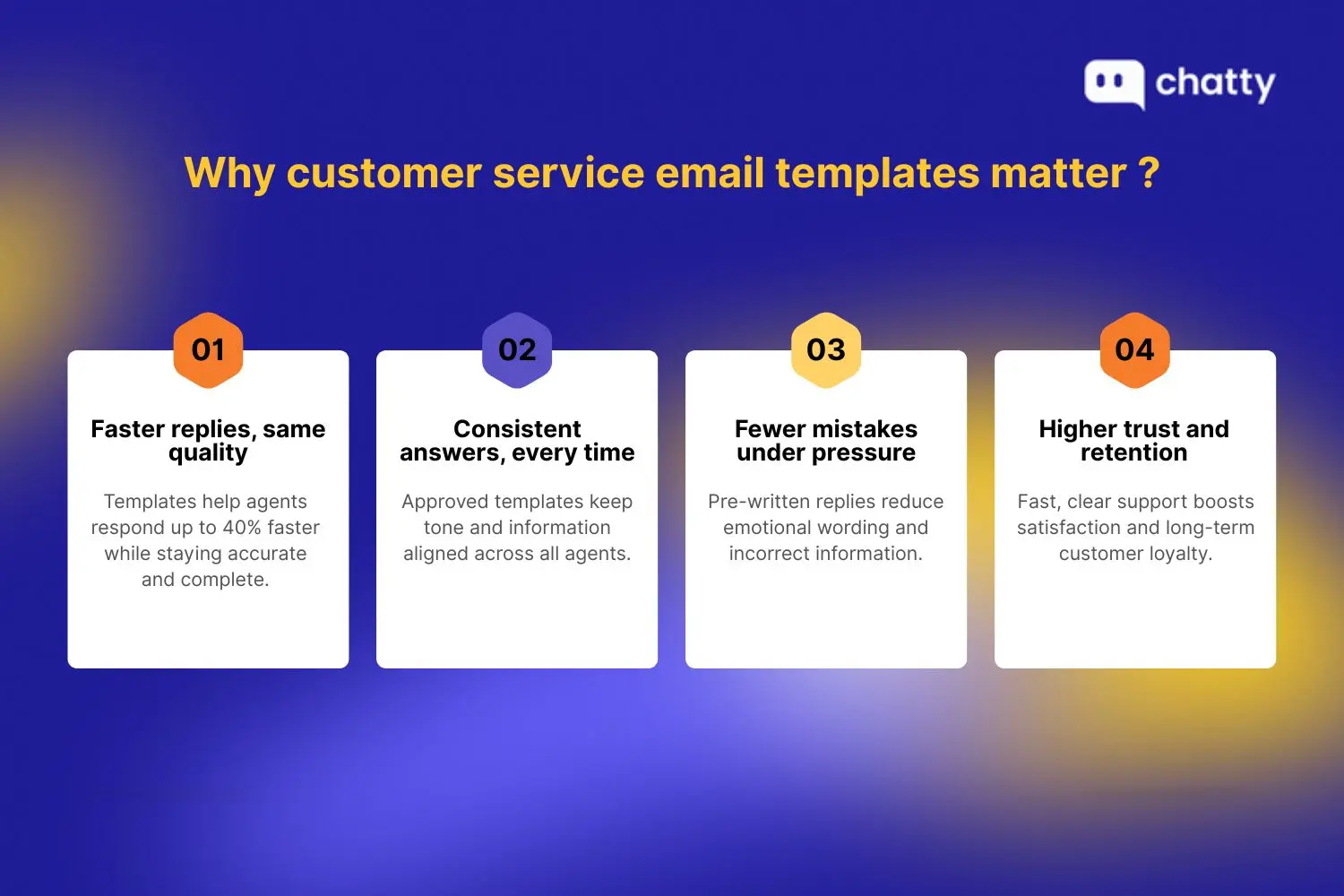
Here are the key reasons customer service email templates matter beyond speed and directly impact customer experience and retention.
Reduce response time without losing quality: Ready-made email templates help agents reply much faster because they don't write every message from scratch. Support teams using templates and text shortcuts can cut average handling time by up to 40% while keeping answers correct and complete. Faster replies matter: when customers get a response in under five seconds, satisfaction (CSAT) averages about 85%, but it drops to around 60% when replies take longer.
Keep messaging consistent across agents: Templates ensure that every agent uses the same approved language and brand voice. That reduces variation and prevents conflicting answers, especially important for common questions like returns or billing. Consistency builds clarity, so customers aren't confused by different reps saying different things.
Prevent emotional or incorrect replies: Without templates, agents under pressure may write responses that are unprofessional, overly emotional, or factually wrong. Pre-approved templates minimize these risks because they're written to cover tough scenarios calmly and accurately. A reliable library of templates means fewer human errors and fewer cases of misinformation.
Improve customer trust and retention: Fast and consistent replies increase confidence in your brand. Studies show 78 to 93% of customers say quick and helpful support improves satisfaction. Higher satisfaction leads to stronger loyalty and better long-term retention.
22 Ready-to-copy templates for common scenarios
Category 1: General support emails
- Auto-reply/ticket received
Confirming receipt reassures customers that their message was received and sets clear expectations for response time and next steps. It also reduces duplicate follow-ups and maintains a professional first impression through automation.
Here is an example of how to format an auto-reply email:
Subject: Re: We've received your support request
Preview: Thanks for reaching out. Our support team is reviewing your request.
Hello [Customer Name],
Thank you for contacting [Company Name]. This message is to confirm that we've received your support request and created a ticket for it.
Our support team is currently reviewing the details and will get back to you within [timeframe]. If your issue is urgent or you have additional information to share, feel free to reply directly to this email.
We appreciate your patience and will be in touch shortly.
Best regards,
[Agent Name]
[Company Name]
- Request for more information
Confirming receipt reassures customers that their message was received. It also sets expectations, explains next steps, and reduces unnecessary follow-ups.
Here is an example template for requesting more information:
Subject: We need a bit more information to help you.
Preview: A few details will help us move forward with your request.
Hi [Customer Name],
Thanks for reaching out to [Company Name]. We're reviewing your request, but we need a bit more information before we can continue.
Could you please provide the following details?
- [Detail 1]
- [Detail 2]
- [Detail 3]
Once we receive this information, we'll be able to assist you more quickly. Simply reply to this email with the details, and we'll take it from there.
Thank you for your cooperation. We look forward to helping you resolve this.
Best,
[Agent Name]
[Company Name]
- Customer follow-up after resolution
Following up after resolution shows support continues beyond ticket closure and confirms the solution worked. It invites help, reinforces trust, and leaves a positive impression.
Here is an example of a post-resolution follow-up email:
Subject: Checking in to make sure everything is resolved
Preview: Let us know if you need any further help.
Hello [Customer Name],
We're following up regarding your recent support request with [Company Name]. Our records show the issue has been resolved, and we wanted to make sure everything is working as expected.
If you're still experiencing any problems or have additional questions, please reply to this email, and we'll be happy to assist further.
If everything looks good, no action is needed. Thank you for allowing us to help.
We appreciate your trust and look forward to supporting you again.
Best regards,
[Agent Name]
[Company Name]
Category 2: Positive customer moments
- Thank-you email
Thank-you emails show appreciation beyond transactions and help customers feel valued. They build goodwill, strengthen relationships, and support long-term loyalty after positive interactions.
Here is an example of a customer thank-you email:
Subject: Thank you for choosing [Company Name]
Preview: We truly appreciate your support.
Hi [Customer Name],
Thank you for choosing [Company Name]. We genuinely appreciate your trust and the opportunity to support you.
Our team is committed to providing a positive experience, and customers like you make our work rewarding. If there's anything we can do to assist you or improve your experience, please don't hesitate to reach out.
We look forward to continuing our work together and supporting your needs in the future.
Thanks again for being part of our community.
Warm regards,
[Agent Name]
[Company Name]
- Review request email
Review request emails turn positive experiences into valuable social proof. When sent on time, they encourage honest feedback, help future customers, and support improvement overall.
Here is an example of a review request email:
Subject: Would you be willing to leave us a review?
Preview: Your feedback helps us improve.
Hello [Customer Name],
We hope you've had a great experience with [Company Name]. If you have a moment, we'd love to hear your thoughts.
Your feedback helps us improve our service and helps other customers make informed decisions. Leaving a review only takes a minute, and we truly appreciate your time.
You can share your experience here: [Review Link]
If you have any questions or concerns, please feel free to reply to this email. We're always here to help.
Best,
[Agent Name]
[Company Name]
- Loyalty/VIP appreciation email
Loyalty emails recognize long-term customers and thank them for continued support. This builds emotional connection and increases retention over time.
Here is an example of a loyalty appreciation email:
Subject: A special thank-you for being one of our valued customers
Preview: We appreciate your continued loyalty.
Hi [Customer Name],
We want to personally thank you for being a valued customer of [Company Name]. Your continued support means a great deal to us.
As a small token of appreciation, we'd like to offer you [exclusive benefit or reward]. It's our way of saying thank you for choosing us and staying with us.
If you ever need assistance or have questions, our team is always happy to help.
We're grateful to have you with us and look forward to serving you.
Sincerely,
[Agent Name]
[Company Name]
Category 3: Shipping + fulfillment issues
- Order confirmation
Order confirmation emails reassure customers after purchase and confirm receipt, details, and delivery expectations. They reduce uncertainty and reinforce trust.
Here is an example of an order confirmation email:
Subject: Your order with [Company Name] is confirmed
Preview: Thanks for your purchase. Here are your order details.
Hello [Customer Name],
Thank you for your order with [Company Name]. We're happy to confirm that your order has been successfully placed.
Order number: [Order Number]
Items: [Item summary]
Shipping address: [Address]
Our team is preparing your order, and you'll receive another email once it ships. If you need to make changes or have questions, please reply to this message as soon as possible.
We appreciate your business and look forward to delivering your order.
Best regards,
[Agent Name]
[Company Name]
- Shipping delay apology
Shipping delays are frustrating, even when unavoidable. A prompt apology email shows empathy, explains the issue, and resets expectations, helping maintain trust and reduce follow-up questions.
Subject: Update on your order shipment
Preview: We apologize for the delay and appreciate your patience.
Hi [Customer Name],
We're reaching out to inform you that your order is experiencing a shipping delay. We're truly sorry for the inconvenience this may cause.
The delay is due to [brief reason]. Our team is actively working with our shipping partners, and your package is now expected to arrive by [new date].
No action is required from you. If you have questions or would like updates, simply reply to this email.
Thank you for your patience and trust in [Company Name].
Best,
[Agent Name]
[Company Name]
- Package marked delivered but missing
When a package is marked as delivered but can't be found, customers are often stressed and need reassurance. This email should acknowledge their concern, explain what's happening, and provide clear next steps.
Subject: We're looking into your missing delivery
Preview: We understand your concern and are investigating.
Hello [Customer Name],
Thanks for contacting us about your delivery. We understand how worrying it is to see a package marked as delivered when you haven't received it.
We're investigating this with the carrier. Meanwhile, please check nearby areas and confirm whether someone at your address accepted the package.
If it's not located within [timeframe], reply and we'll take the next steps to resolve the issue.
Best regards,
[Agent Name]
[Company Name]
- Product back in stock
Back-in-stock emails help convert interested shoppers into buyers by notifying them at the right moment and creating urgency without being pushy.
Subject: [Product Name] is back in stock
Preview: The item you wanted is available again.
Hi [Customer Name],
Good news! The item you were interested in, [Product Name], is now back in stock.
Due to high demand, availability may be limited. If you'd still like to place an order, we recommend purchasing soon to avoid missing out again.
You can view the product and complete your purchase here: [Product Link]
If you have any questions about the item or your order, feel free to reply to this email. We're happy to help.
Thanks for shopping with [Company Name].
Best,
[Agent Name]
[Company Name]
Category 4: Refunds + returns
- Refund processed confirmation
Refund confirmation emails close the loop on a sensitive interaction. They reassure customers that their refund is complete and explain what to expect next.
Subject: Your refund has been processed
Preview: Your refund is on its way.
Hello [Customer Name],
We're writing to confirm that your refund for order [Order Number] has been successfully processed.
The refunded amount of [Amount] has been issued to your original payment method. Depending on your bank or provider, it may take [timeframe] to appear on your statement.
If you have any questions about this refund or need further assistance, please reply to this email, and our team will be happy to help.
Thank you for your patience, and we appreciate the opportunity to assist you.
Best regards,
[Agent Name]
[Company Name]
- Return instructions email
Clear return instructions make the process easier for customers and reduce errors for support teams. This email should outline each step and explain what happens after the item is returned.
Here is an example of a return instructions email:
Subject: How to return your item
Preview: Follow these steps to complete your return.
Hi [Customer Name],
We've approved your return request and are happy to guide you through the next steps.
Please follow these instructions:
- Package the item securely.
- Attach the return label provided.
- Drop the package off at [carrier/location].
Once we receive the item, we'll inspect it and process your refund or exchange within [timeframe].
If you have questions at any point, reply to this email, and we'll assist you.
Thank you for your cooperation.
Best,
[Agent Name]
[Company Name]
- Subscription cancellation acceptance
Cancellation confirmation emails reassure customers that their request was completed. A respectful tone helps preserve goodwill and leaves the door open for future returns.
Here is an example of a cancellation confirmation email:
Subject: Your subscription has been canceled
Preview: This confirms your cancellation request.
Hello [Customer Name],
This email confirms that your subscription with [Company Name] has been successfully canceled, effective [date].
You will not be charged again unless you choose to reactivate your subscription. Any remaining access or benefits will continue until the end of your current billing period.
If you change your mind or have feedback to share, we'd love to hear from you. Simply reply to this email.
Thank you for being a customer, and we hope to serve you again in the future.
Best regards,
[Agent Name]
[Company Name]
- Renewal reminder email
Renewal reminder emails help prevent surprise charges and reduce churn. They give customers time to review their plans and take action if needed, which builds transparency and trust.
Here is an example of a renewal reminder email:
Subject: Your subscription renewal is coming up
Preview: Please review your subscription before renewal.
Hi [Customer Name],
This is a reminder that your subscription with [Company Name] is set to renew on [date].
Your plan will renew at [price] unless you make changes before the renewal date. You can review or update your subscription anytime by visiting your account settings.
If you have questions or need help deciding what's best for you, reply to this email and our team will be happy to assist.
Thank you for continuing with us.
Best,
[Agent Name]
[Company Name]
Category 5: Complaint + escalation templates
- Angry customer de-escalation email
This approach reflects strong conflict resolution in customer service, where empathy and accountability reduce escalation risk. When customers are upset, respond with empathy, acknowledge their emotions, and reassure them that the issue is being handled seriously.
Subject: We hear your concerns and are here to help
Preview: Thank you for sharing your feedback. We're looking into this.
Hello [Customer Name],
Thank you for reaching out. I understand how frustrating this situation has been, and I'm sorry for the inconvenience it caused.
Your concerns have been reviewed, and I'm personally looking into what happened so we can address it properly. Our goal is to resolve this as quickly and fairly as possible.
I'll follow up soon with an update or next steps. In the meantime, feel free to reply with anything else to share.
Sincerely,
[Agent Name]
[Company Name]
- Service mistake ownership + solution
Owning mistakes builds trust faster than deflecting blame. This email acknowledges an error, explains what went wrong clearly, and outlines the solution.
Subject: Our apology and next steps
Preview: We take responsibility and want to make this right.
Hi [Customer Name],
I want to sincerely apologize for the issue you experienced. After reviewing your case, we identified that the problem was due to an error on our end.
This is not the experience we aim to provide. We've taken steps to correct the issue by [solution explanation], and we're reviewing our process to prevent it from happening again.
If you have any questions or notice anything else that needs attention, please reply to this email. Your feedback helps us improve.
Thank you for your understanding and for giving us the chance to fix this.
Best regards,
[Agent Name]
[Company Name]
- Escalation to manager template
Escalation emails reassure customers that their concern is being elevated appropriately. Clear communication during ticket escalation prevents confusion and reassures customers that their issue is being prioritized.
Here is an example of an escalation email:
Subject: Your request has been escalated for further review
Preview: A manager is now reviewing your case.
Hello [Customer Name],
Thank you for your patience. I wanted to let you know that your request has been escalated to a manager for further review.
[Manager Name] is now reviewing the details of your case and will ensure it's handled with priority. You can expect an update within [timeframe].
If you have any additional information you'd like us to consider, feel free to reply to this email. We want to make sure we have the full picture.
We appreciate your patience and are committed to reaching a fair resolution.
Kind regards,
[Agent Name]
[Company Name]
- Customer compensation offer email
Compensation emails should feel thoughtful, not transactional. This template explains why compensation is offered and frames it as appreciation for the customer's patience, not a payoff.
Here is an example of a compensation offer email:
Subject: A gesture of appreciation from our team
Preview: Thank you for your patience and understanding.
Hi [Customer Name],
Thank you again for your patience while we worked to resolve your issue. We understand the inconvenience this caused and truly appreciate your understanding.
As a gesture of goodwill, we'd like to offer you [compensation details]. This is our way of saying thank you for allowing us to make things right.
If you have questions about this offer or need help applying for it, please reply to this email, and we'll be happy to assist.
We value your trust and look forward to serving you better going forward.
Sincerely,
[Agent Name]
[Company Name]
Read more: How to write a complaint response email to a customer
Category 6: Technical support templates
- Bug reported acknowledgment
Bug acknowledgment emails confirm receipt and set expectations without overpromising. They reassure users that the issue is being reviewed by the right team.
Here is an example of a bug acknowledgment email:
Subject: We've received your bug report
Preview: Thanks for flagging this. Our team is reviewing it.
Hello [Customer Name],
Thank you for reporting this issue. We've received your bug report and shared it with our technical team for investigation.
At this stage, we're reviewing the cause and assessing the impact. If we need additional details, we'll reach out. Otherwise, we'll keep you informed as updates become available.
Your feedback helps us improve the platform, and we appreciate you taking the time to report this.
If you notice anything else related to this issue, please feel free to reply.
Best regards,
[Agent Name]
[Company Name]
- Feature request response
Feature request responses validate ideas while managing expectations. This email thanks customers without promising delivery.
Here is an example of a feature request response email:
Subject: Thanks for sharing your feature idea
Preview: We appreciate your suggestion.
Hi [Customer Name],
Thank you for taking the time to share your feature suggestion with us. We always value feedback from customers who use our product daily.
Your request has been logged and shared with our product team for review. While we can't confirm timelines or implementation, suggestions like yours help guide future improvements.
If we need more information or have updates to share, we'll reach out.
Thanks again for helping us make [Product Name] better.
Best,
[Agent Name]
[Company Name]
- Outage/service disruption update email
Outage emails prioritize clarity and reassurance. Customers want timely updates and transparency during disruptions.
Here is an example of an outage update email:
Subject: Service disruption update
Preview: We're working to restore service.
Hello [Customer Name],
We're aware of a service disruption currently affecting some users, and we sincerely apologize for the inconvenience.
Our engineering team is actively investigating the issue and working to restore service as quickly as possible. At this time, we expect to share the next update by [time].
You don't need to take any action. We'll continue communicating as we make progress.
Thank you for your patience and understanding.
Sincerely,
[Agent Name]
[Company Name]
- Resolution + prevention follow-up
Resolution follow-ups close the loop and reinforce accountability. They explain what was fixed and how future issues will be prevented.
Here is an example of a resolution follow-up email:
Subject: Issue resolved and preventive steps taken
Preview: Service has been restored.
Hi [Customer Name],
We're happy to confirm that the recent issue has been fully resolved and service is now operating normally.
Our team identified the root cause and implemented preventive measures to reduce the risk of recurrence. We're also monitoring the system closely to ensure continued stability.
If you notice anything unusual or have questions about the incident, please reply to this email. Your feedback helps us improve.
Thank you for your patience and for trusting [Company Name].
Best regards,
[Agent Name]
[Company Name]
How to write templated emails that still feel human
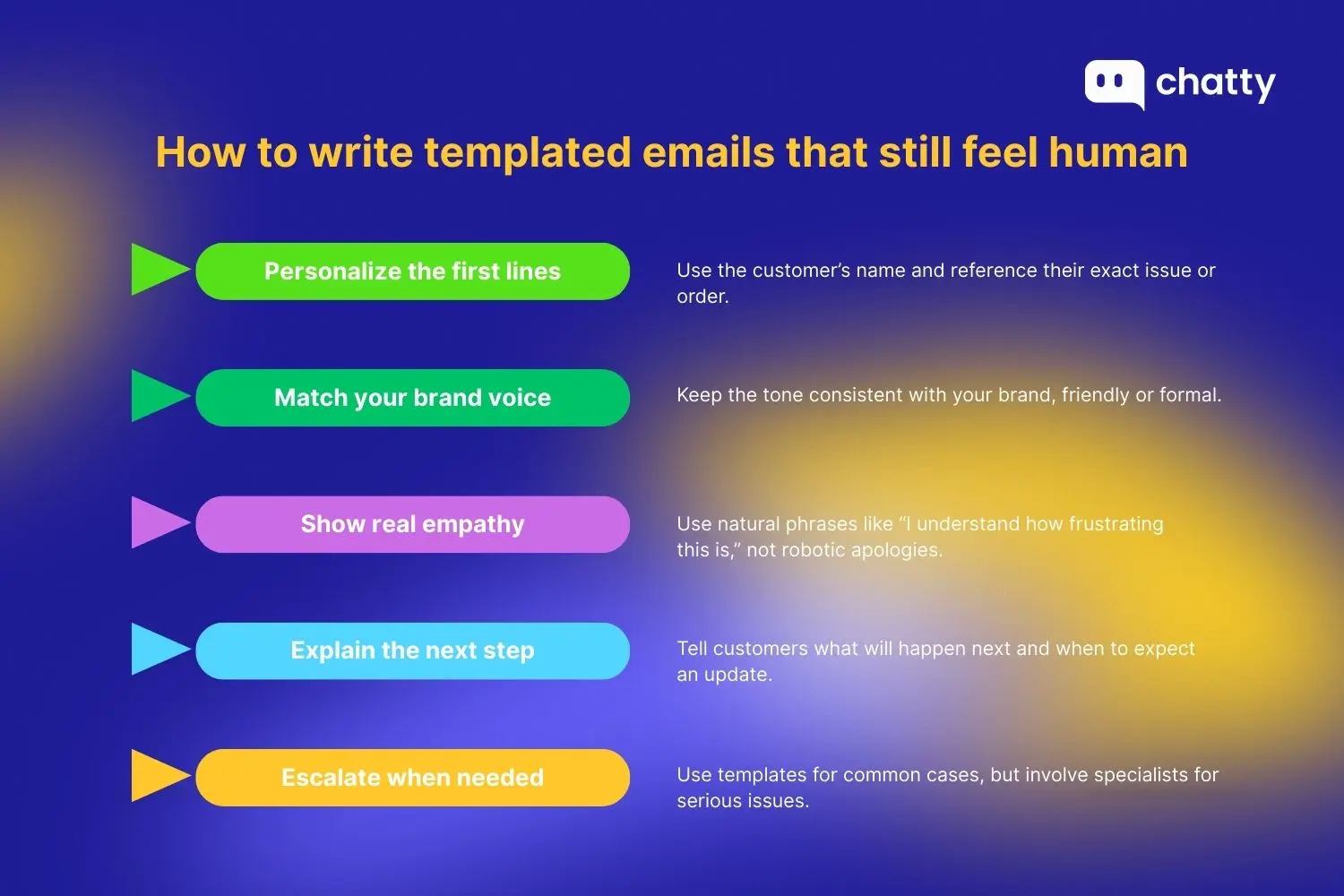
Email templates save time, but they should never feel cold or automated. The goal is to give support agents structure while still leaving room for empathy, clarity, and a human touch. Here's how to make templated emails feel personal and genuine.
Personalize the first two lines. Start with the customer's name and reference their specific issue, order, or request. For example: "Hi Maya, thanks for reaching out. I see your order #1842 was marked delivered, but you haven't received it yet." Small details build trust instantly and reduce unnecessary back-and-forth.
Match the tone to your brand voice. A strong template should sound like your company, not a generic support script. Direct-to-consumer brands may use a warm, casual style, while B2B SaaS companies often need a more professional tone. For instance, "Let's fix this quickly" feels friendly, while "We are reviewing the issue and will update you" feels more formal. Consistency strengthens customer confidence.
Use empathy without sounding scripted. Empathy matters, but common phrases like "We apologize for the inconvenience" can feel robotic. Instead, use natural language such as "I'd feel frustrated too" or "I understand how stressful this is." Real empathy helps customers feel heard rather than processed.
Always include a clear next step. Every email should explain what happens now, when the customer can expect an update, and who is handling the issue. Saying you'll follow up within 24 hours reduces anxiety and prevents repeated messages. Clear next steps make support feel reliable.
Know when to escalate. Templates work best for common questions, but serious cases require escalation. Set guidelines for involving a manager or specialist for high-value refunds, VIP customers, technical failures, or legal concerns. Escalating at the right time protects both the customer experience and your team.
High-stakes customer support situations
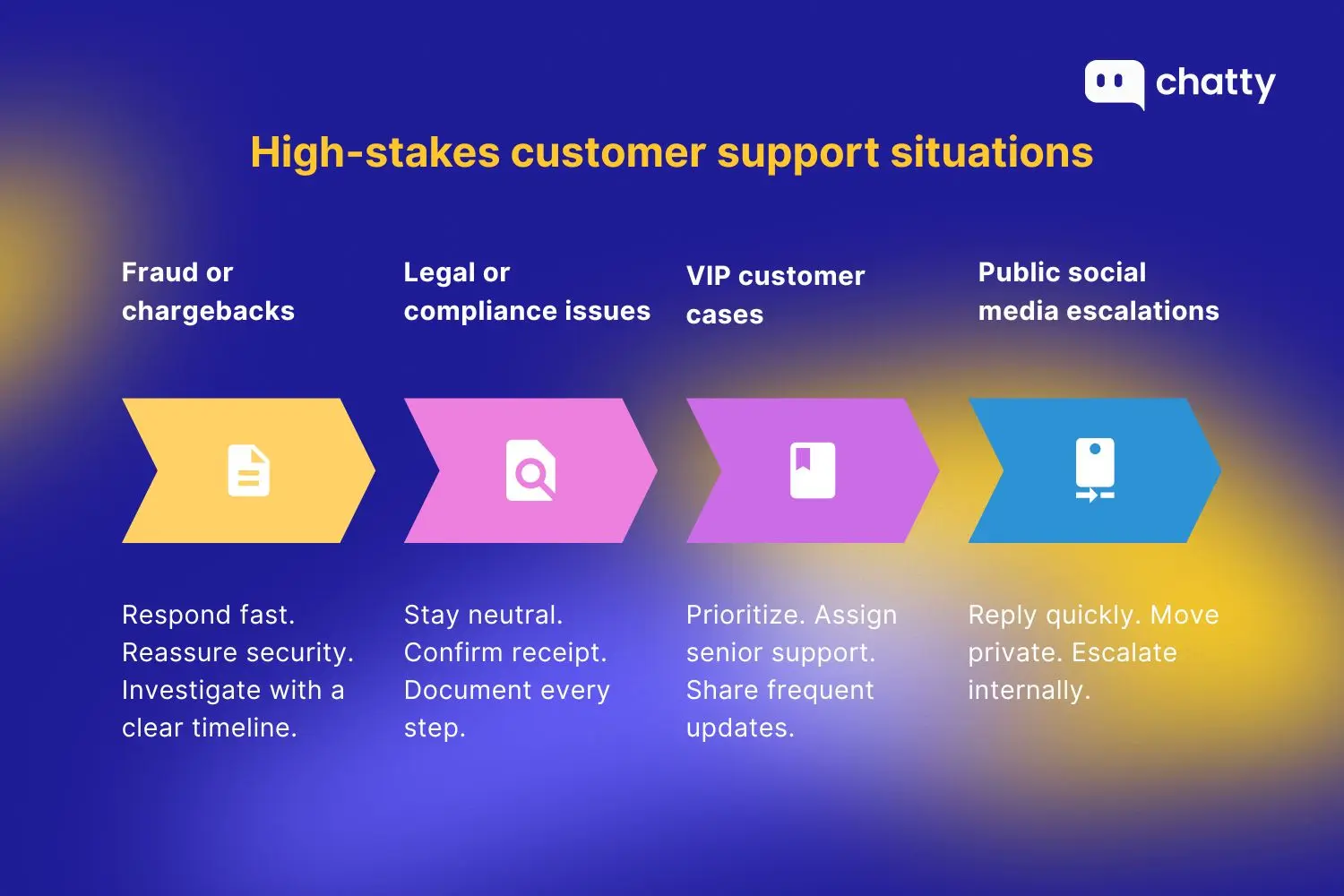
Here are key strategies and templates to help you handle high-stakes customer support situations quickly, professionally, and with care.
Fraud or chargeback dispute response
Fraud claims and chargeback disputes require immediate attention. Begin by acknowledging the concern, reassuring the customer that security is a top priority, and requesting key details such as the order number, transaction date, and payment amount. Avoid placing blame or making assumptions. Clearly explain that you will investigate and provide a timeline for updates. Internally, gather supporting evidence like delivery confirmation, account activity logs, and payment verification in case the dispute escalates.
Legal or compliance complaint template
Legal or compliance complaints must be addressed with a neutral, professional tone. Thank the customer for raising the issue and confirm it has been received. Explain that the appropriate team will review the matter, but avoid admitting fault prematurely. Provide a reference number, expected follow-up date, and document every interaction to ensure consistent communication if the case becomes more serious.
VIP customer priority handling
VIP customers expect faster, more personalized service. Whenever possible, assign a senior agent or direct contact. Confirm that their request is being prioritized, and provide frequent updates even if resolution takes time. Offer practical support such as expedited shipping, callbacks, or service credits when appropriate to maintain trust and loyalty.
Public social media escalation email
Public social media escalations can spread quickly and harm a reputation. Respond promptly, then move the conversation to private channels. Send an internal escalation email summarizing the issue, customer details, urgency, screenshots, timeline, and assigned owner. Fast coordination ensures smooth resolution, protects the brand, and reassures the customer.
How to organize templates for your team
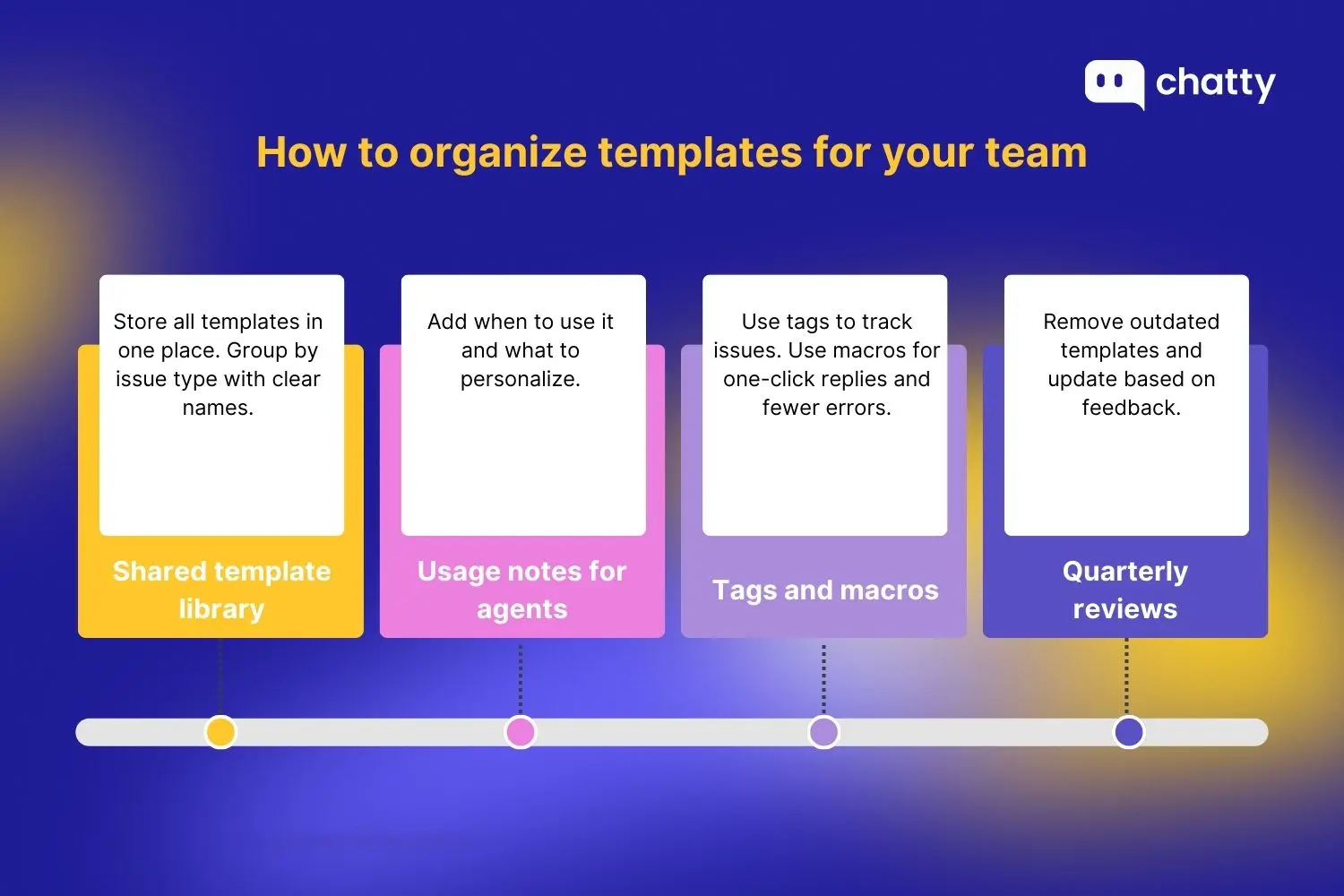
Here's a simple system that works for most support teams.
Create a shared library by category
Start by creating one shared library in a central location, such as your helpdesk, knowledge base, or internal document. A well-structured template library is a practical part of strong knowledge management within support teams. Group templates into clear categories like billing issues, refunds, shipping delays, account access, and product questions. Avoid long, unstructured lists.
If an agent can't find the right template in under 10 seconds, the library needs improvement. Use clear, specific names so agents know the purpose immediately.
Add notes for agents (When to use + customize)
Each template should include short internal notes. Explain when the template should be used. Add guidance on what must be customized. For example, highlight which lines need personalization or data checks. This prevents agents from sending generic or incorrect replies. It also helps new hires feel more confident.
Use tags + macros in Zendesk/Gorgias/Intercom
Connect templates to tags and macros. Tags help track common issues and performance. Macros allow agents to apply templates with one click. Combine macros with required fields, like customer name or order number, to reduce errors. Keep macro names consistent across tools.
Review templates quarterly
Set a quarterly review schedule. Remove outdated templates. Update wording based on new policies and common customer feedback. Ask agents which templates cause confusion. Small updates over time keep your library useful and trusted.
Metrics that improve with better email support
Customer service email templates directly influence key customer service KPIs, including response time, resolution speed, and satisfaction scores.
First Response Time (FRT): Templates reduce writing time. Agents do not start from scratch. They can send a clear first reply in minutes. Faster first responses reassure customers that their issue is being handled. Review which templates are used most often and optimize those first.
Resolution Time: Good templates ask for the right information early. They explain the next steps clearly. This reduces follow-up emails and back-and-forth. Fewer replies mean faster resolutions. Update templates that often lead to clarification questions. Over time, improved email tone and clarity can also positively influence your net promoter score.
Customer Satisfaction (CSAT): Templates help keep tone polite, calm, and helpful. This matters even more in complaint emails. When customers receive clear and empathetic replies, satisfaction scores increase. Review low-CSAT tickets and check whether the template wording needs improvement.
Retention and repeat purchase rate: Support emails are part of the customer experience. Clear and respectful templates build trust. Customers are more likely to return after a smooth support interaction. Track repeat purchases from customers who received email support.
Support quality audits: Support quality audits are a core part of customer service quality assurance, and templates make those reviews easier and more consistent. Review emails against the template standard. Check tone, accuracy, and personalization. Use audit results to improve templates and agent training. This keeps quality consistent as volume grows.
Conclusion: Turn support emails into customer loyalty
Customer service emails shape how customers remember your brand. Templates provide speed and structure, but empathy, clarity, and follow-up create lasting trust. When support emails feel personal and helpful, they reduce churn and improve retention. Use the templates in this guide as a foundation, then adapt them to your brand voice and customer needs. Every email is a chance to turn a problem into a positive experience.